I. USB Naming Confusion and Actual Speeds
The USB-IF (USB Implementers Forum) has iterated its standards multiple times, causing the concept of "USB 3.2" to cover several completely different transmission speeds. For high-bandwidth applications like video capture cards, distinguishing between these three levels is critical:
1. USB 3.2 Gen 1 (formerly USB 3.0): Theoretical bandwidth is only 5Gbps.
2. USB 3.2 Gen 2×1 (formerly USB 3.1): Theoretical bandwidth increases to 10Gbps.
3. USB 3.2 Gen 2×2 (True High-Speed Standard): Theoretical bandwidth reaches 20Gbps.
The Technical Risk: If the host interface is only Gen 1, even a high-end video capture card cannot transmit the massive data stream required for 4K/60fps through the physical channel, forcing the system to lower resolution or frame rates.
II. The Decisive Impact of Bandwidth on Capture Quality
A video capture card occupies significant data channels during operation. The bandwidth of the physical interface directly dictates the upper limit of the final image quality:
5Gbps Environment: Can barely maintain 4K/30fps or 1080p/60fps throughput; unable to meet high frame rate recording needs.
10Gbps Environment: While it can achieve 4K/60fps recording, it often requires compressing color data (downgrading from 4:4:4 to 4:2:0), leading to visible color banding in post-production.
20Gbps + Environment: Only true USB 3.2 Gen 2×2 or higher-tier Thunderbolt video capture cards (using Thunderbolt/USB4 protocols) can achieve lossless, uncompressed 4:4:4 full-color sampling.
III. High-Performance Solution: Thunderbolt and USB4 Integration
To break through the bandwidth limitations of traditional USB interfaces, current professional solutions favor Thunderbolt video capture cards or USB4.0 protocols. These interfaces provide transmission speeds up to 40Gbps and possess powerful multi-tasking concurrency capabilities, supporting complex "All-in-One" docking station forms.
Taking a high-spec Thunderbolt expansion configuration as an example:
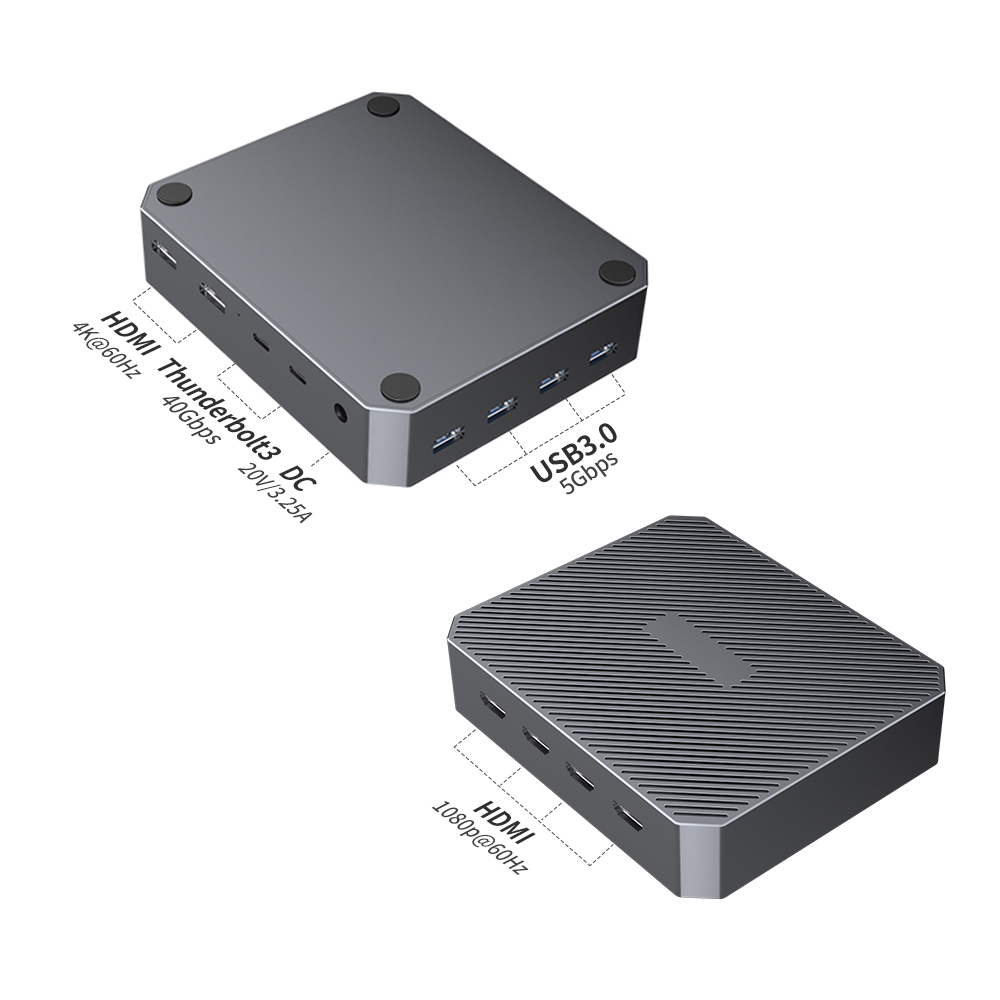
In an ideal single-cable solution, a Thunderbolt video capture card hub connected via a Thunderbolt/USB4 host interface can support a load of up to 12 expansion ports. These devices are not simple hubs but integrated signal processing units featuring:
Multi-Channel Video Capture & Output: Leveraging high bandwidth, the device can integrate a 4-channel HDMI / 4-channel SDI capture card (supporting 1080P multi-cam capture) while simultaneously driving two additional 4K/60Hz monitors for switching and monitoring.
Full-Function Data Interaction: Equipped with dual Thunderbolt ports (compatible with USB4/3.1/3.0), ensuring high-speed data throughput while managing bidirectional power delivery (e.g., one port provides 15W for peripherals, the other supports up to 60W re-verse charging for laptops).
Peripheral Compatibility: Integrates multiple USB 3.0/2.0 ports for connecting keyboards and mice, equipped with a 20V 3.25A GaN (Gallium Nitride) power module to ensure stability under full load.
This one-stop solution based on the Thunderbolt/USB4 protocol perfectly resolves bandwidth anxiety across Windows, macOS, and Linux platforms, making it the optimal solution for eliminating "interface bottlenecks."
IV. Buying and Identification Advice
To avoid capture failures caused by insufficient interface performance, we recommend following this identification process when purchasing hosts and peripherals:
1. Check the Datasheet: Ignore the vague "USB 3.2" labeling on the packaging. Confirm the specific Gen version or transmission rate (5Gbps, 10Gbps, or 20Gbps).
2. Prioritize Thunderbolt/USB4 Certified Devices: For users with 4K capture or multi-screen display needs, a Thunderbolt video capture card (marked with the lightning bolt logo) or a device explicitly labeled USB4 offers the highest bandwidth redundancy, physically preventing stutter and lag.