As electronic devices become increasingly thinner and lighter, the number of ports and connectors on computers is gradually decreasing. The emergence of USB hubs just solves the problem of insufficient device connection ports. It can expand the computer's USB ports to 4 to 28, greatly improving the convenience of device connection. Next, we will explore the types of USB hubs, key points for purchase, and differences from other devices.
I. The difference between USB hubs and USB docks
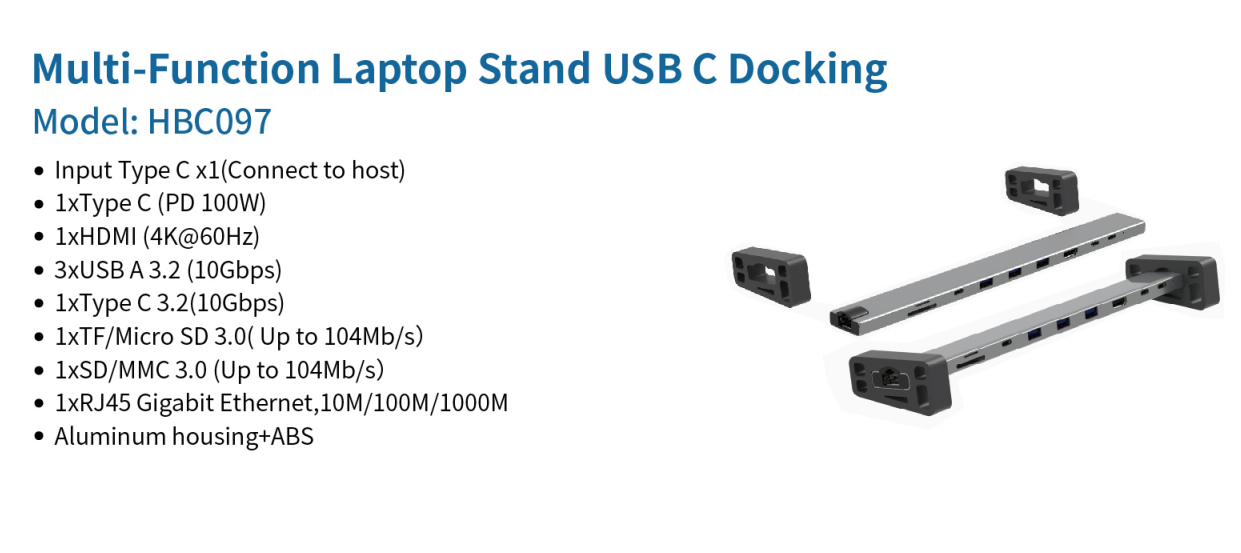
USB hubs have relatively simple functions and are only equipped with USB ports. They are mainly used to increase the number of USB devices that can be connected to the computer, such as keyboards, mice, flash drives, etc. can be connected to the computer through it. The USB dock (also known as the USB docking station) is more powerful. In addition to the USB port, it also has a variety of connection interfaces. If you need to connect to the network with an Ethernet cable or connect an external monitor to your laptop, a USB dock would be a better choice.
II. Choice between USB-C and USB-A hubs
(I) USB-C hubs
USB-C hubs use a small universal connector with strong compatibility and are widely used on new computers. One of its significant advantages is that it supports power from a wall socket via a power cord, which allows it to not only connect devices to transfer data, but also charge mobile phones and tablets, or read data from external hard drives. It is very versatile.
(II) USB-A hubs
If most of your devices are older USB devices, then a USB-A hub is a suitable choice. When purchasing, make sure it supports USB 1.0 and 2.0 standards. If the device is newer, it usually uses USB 3.0 or higher. This type of interface is generally blue and has faster transmission speeds. It is worth noting that black and gray interfaces represent USB 1.0 or 2.0, while blue interfaces correspond to USB 3.0 and above. If you have higher requirements for transfer speed, such as a transfer speed of more than 10GB, you should choose a device compatible with USB 3.1; if you pursue a transfer speed of 20GB or higher, you need to buy a hub that supports USB 3.2.
III. Characteristics and applicable scenarios of different types of USB hubs
(I) Small micro and pocket hubs
Small or micro hubs are small in size and are very suitable for scenes with limited desktop space. They are easy to store and carry and can be easily put into pockets or backpacks. It is suitable for connecting peripherals such as flash drives, keyboards, and mice. Although it can also charge USB devices, the charging speed is slower than that of active hubs. Whether it is adding ports to laptops, or connecting devices such as game controllers in SBC projects, breaking through the limitation of 2 to 4 USB ports on the project board, this type of hub can play a role.
(II) SuperSpeed Hub (USB 3.2 Gen1/2)
USB 3.0 SuperSpeed Hubs are designed for USB 3.0, 3.1, and 3.2 devices. The blue interface is its identification, which represents faster transfer speeds. When you need to transfer a large amount of data, such as transferring USB drive files storing a large number of photos and videos, USB 3.0 and above connections can make the transfer process more efficient. If you want to use two or more drives at the same time, you need to prepare a power cable and confirm that the USB hard drive is compatible with the hub. Our SuperSpeed Hubs support both USB 3.1 and USB 3.2, achieving transfer speeds of 10GB and 20GB respectively. However, passive hubs can usually only power one USB hard drive, while active hubs with compatible external hard drive readers or shells can not only improve performance, but also read multiple drives at the same time.
(III) Desktop hubs
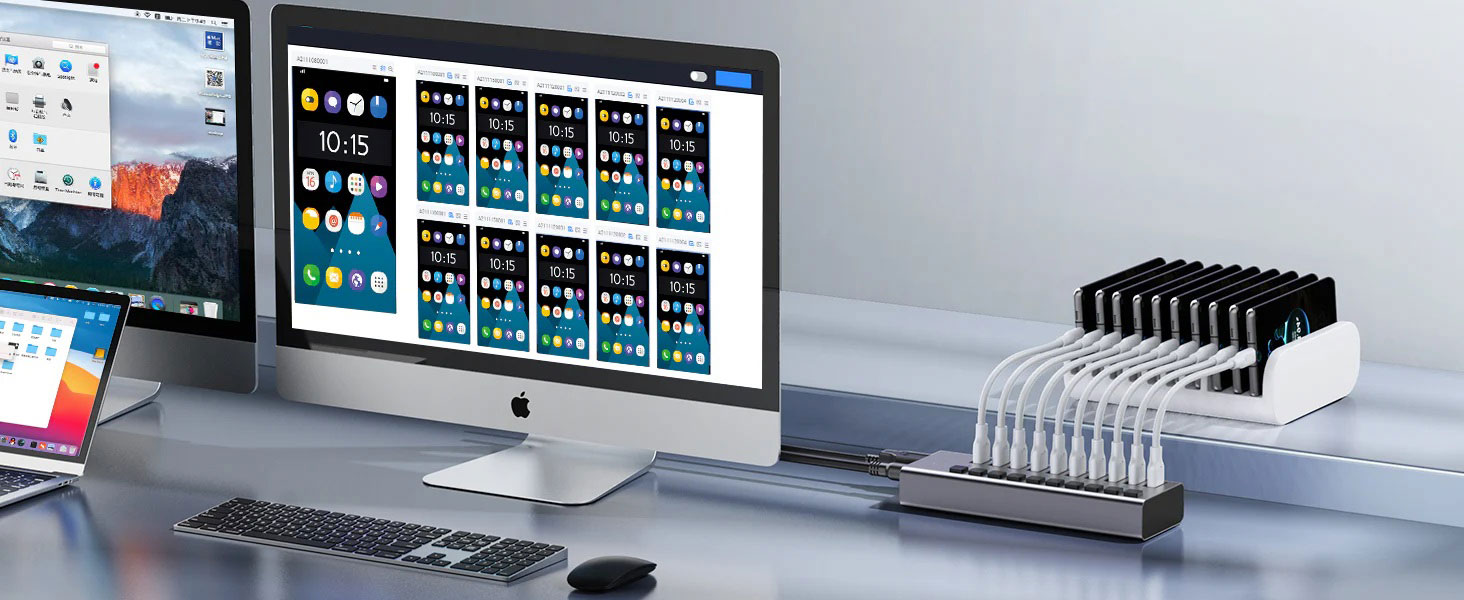
Desktop hubs have powerful data processing capabilities and can read data from multiple flash drives at the same time and write data to multiple drives. When multiple computers need to be re-imaged or a new operating system needs to be installed in an office or laboratory, it can greatly improve work efficiency and reduce the time to create bootable drives or promote USBs. In addition, it can add additional charging and data ports to the computer to charge multiple devices at the same time. To ensure data transmission speed, it is recommended to choose a desktop hub equipped with a USB 3.0 port.
(IV) Powered hubs
Powered hubs (active hubs) are designed for the dual needs of device charging and data transmission. It can charge multiple mobile phones, tablets and other devices at the same time and maintain high-speed data transmission between devices. For users with multiple hard drives, active hubs can quickly read, move and transfer files between devices while providing power to the hard drives. If you need to read multiple hard drives that are not connected to a hard drive box, you can also use it with a hard drive dock to meet diverse needs.