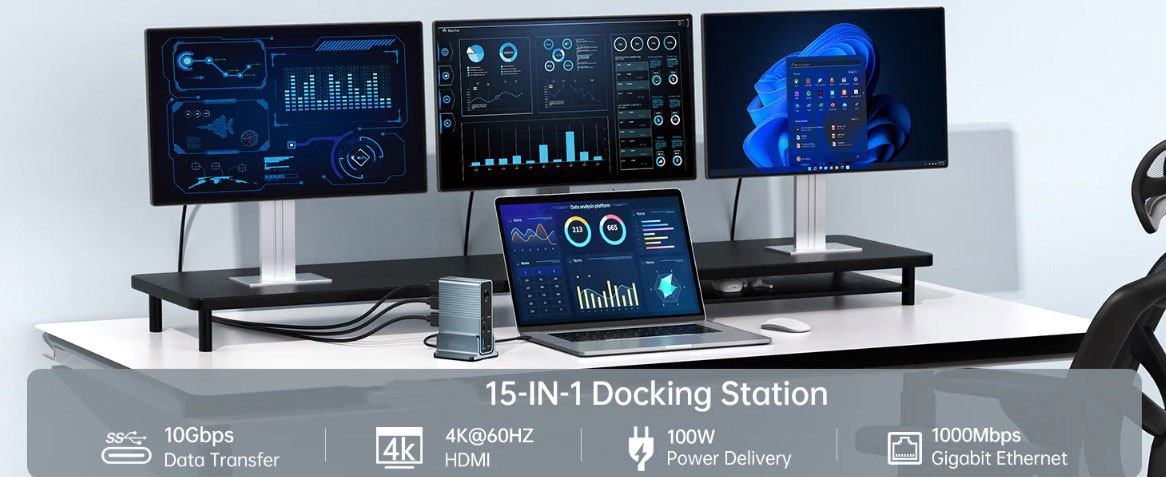
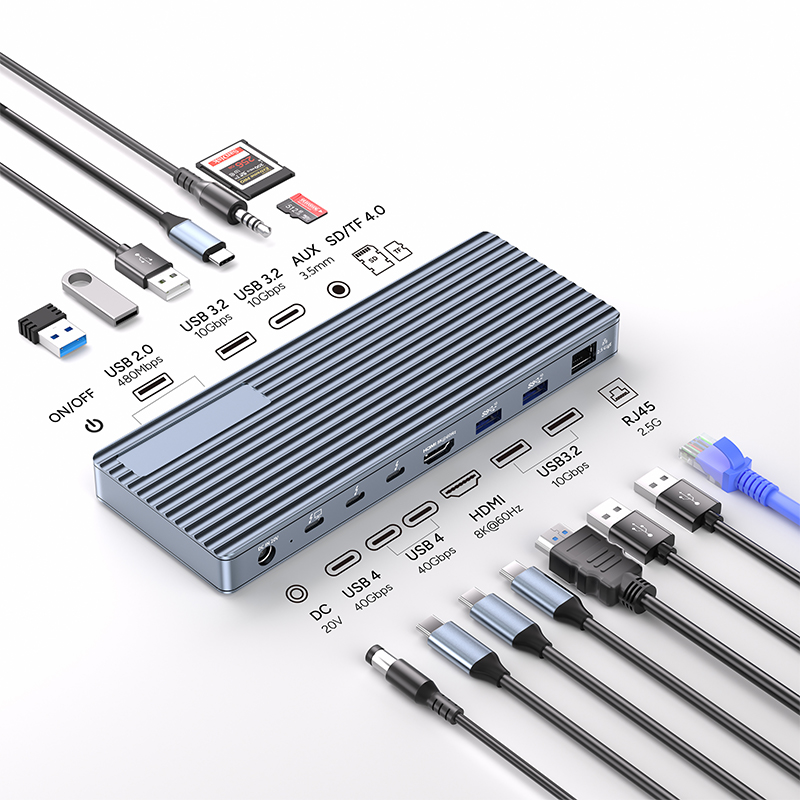
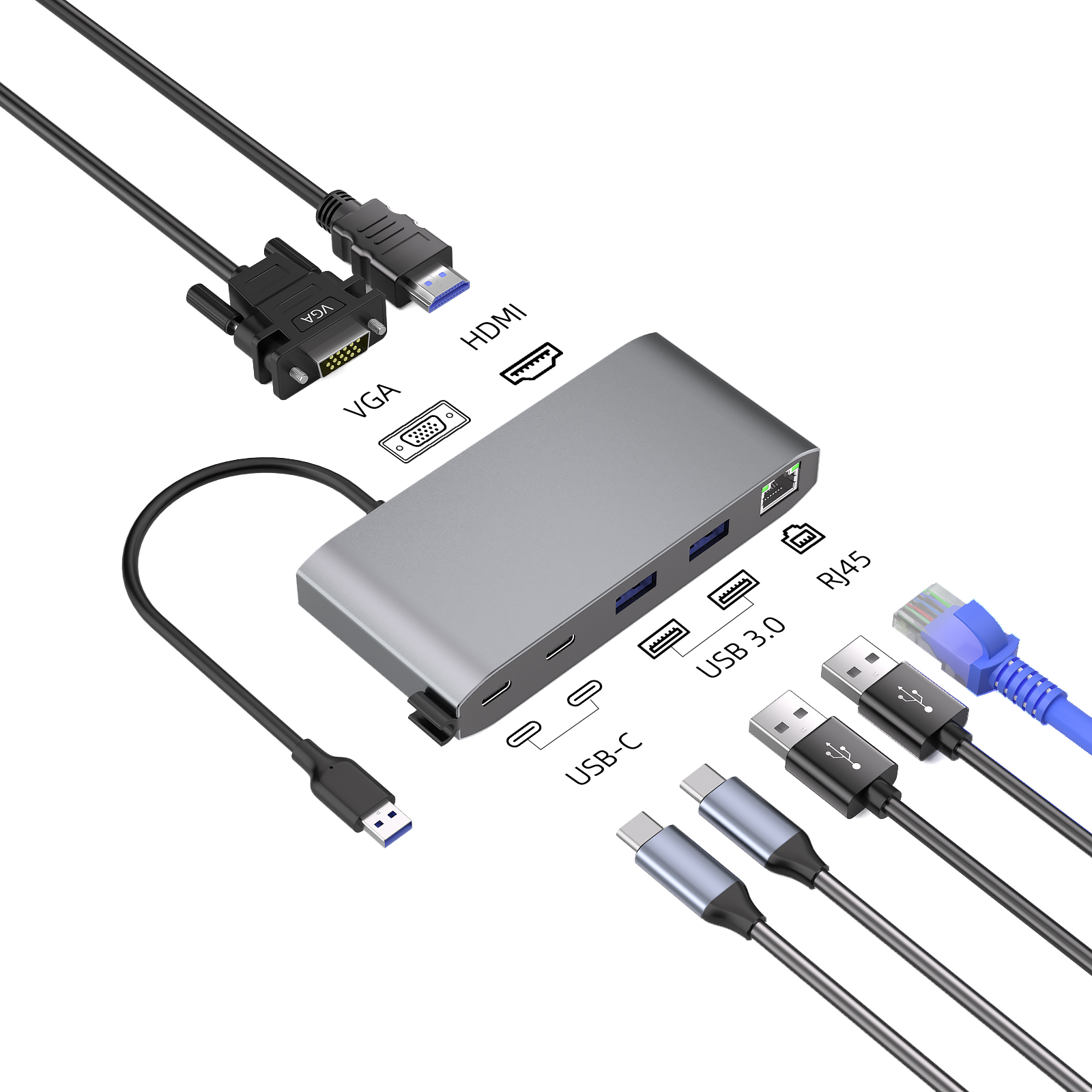
In the digital age, we often need to use various devices to meet various needs such as work and entertainment. Devices such as docking stations, Thunderbolt and USB-C hubs can greatly expand the connectivity of electronic devices. Next, let's take a deeper look at them so that we can make a more appropriate choice.
Docking Station: The Hub of Device Connection
A docking station is a device that provides one or more ports. It acts like a "universal interface" that allows us to connect various devices such as USB flash drives, scanners and printers. It provides a rich expansion interface for laptops and tablets, allowing the functions of the devices to be further extended.
Thunderbolt: A bridge for high-speed connection
Thunderbolt is an abbreviation for a high-speed port that connects two computer devices through electronic devices (rather than cables) to achieve high-speed data transmission. This technology provides a fast and stable channel for data exchange between devices.
USB-C hub: a powerful tool for port expansion
A USB-C hub is a device with at least one USB-C port connector and an additional downstream grouping switch. It can expand the functionality of the USB-C port, allowing us to connect multiple devices to a single port on a laptop or tablet.
USB-C hub: a convenient choice for multi-device connection
The main function of a USB-C hub is to expand the USB-C port. It is like a "hub center" that allows us to connect multiple USB-C devices to one port on the computer. Usually, USB-C hubs are also equipped with ports such as HDMI, Ethernet, and SD card readers. Some even have built-in charging functions, which can charge the device while using it, greatly improving the convenience of use.
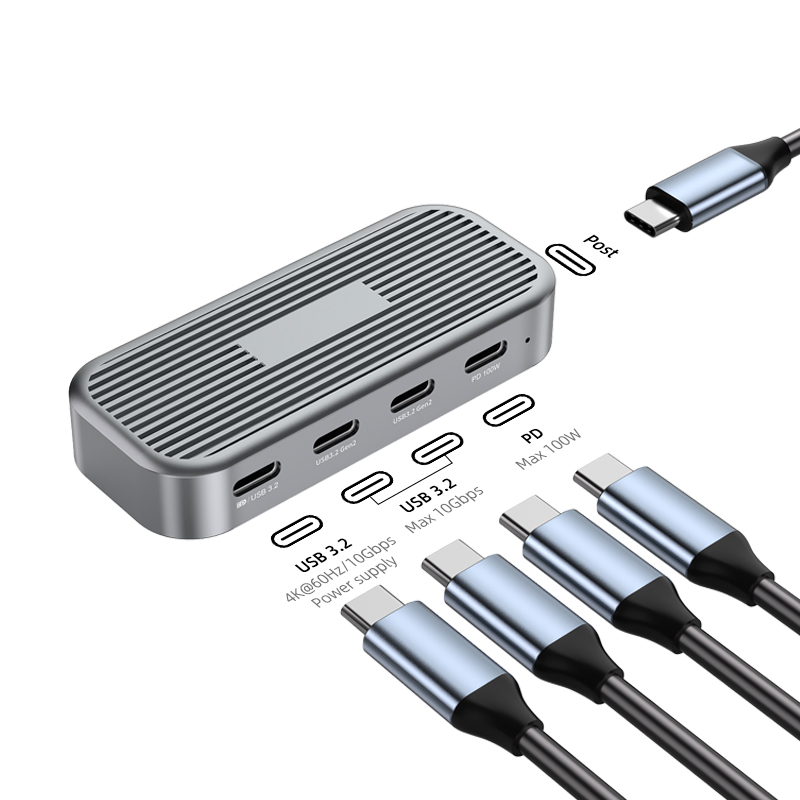
Similar to USB-C hubs, Thunderbolt docking stations provide a variety of ports to connect multiple devices. But the Thunderbolt dock goes a step further, supporting Thunderbolt 3, the latest version of Thunderbolt that is much faster than its predecessor. In addition, Thunderbolt 3 also supports external graphics cards (eGPUs), which means we can use Thunderbolt docks to turn laptops into powerful gaming rigs. At the same time, Thunderbolt 3 supports data transfer rates up to 40 Gbps, Power Delivery (which can charge devices and connect to displays), and uses the USB Type-C interface, which is compatible with existing USB devices.
USB docking station: a close companion for laptops
A USB docking station is essentially a docking station for laptops and tablets. It provides a variety of ports for connecting external devices and is a device that provides a centralized connection point for a computer. A typical docking station usually contains multiple USB ports, an Ethernet port, and usually a headphone jack. It is designed to facilitate users to easily connect and disconnect multiple devices on a single computer, making device connection simpler and more efficient.
Tips for buying
When choosing a USB-C hub, Thunderbolt, or docking station that's right for you, we need to consider a number of factors.
Clarify your usage needs
First, consider the devices you want to connect to the hub and the tasks you want to complete with it. If you mainly want to connect your laptop to an external monitor, then a docking station may be the best choice; if you need to connect multiple devices with different ports, then a USB-C or Thunderbolt hub may be more suitable.
Determine the number of ports
Determine the number of ports you need based on your actual needs. If you only need a few extra ports, a small USB-C or Thunderbolt hub will be enough; but if you need more ports, you may want to consider a larger docking station, which should have more ports and may even come with additional features such as built-in charging or Ethernet connection.
Focus on compatibility
Not all USB-C hubs are exactly the same. Some are designed for MacBooks or Apple products, while others are suitable for Windows PCs or Android devices. When choosing, it's important to make sure that the hub is compatible with the devices you want to use so that it can fully function.
Summary and Recommendations
When buying a USB-C hub, Thunderbolt, or docking station, it is important to understand the differences between them. USB-C hubs can expand the number of ports on a computer and are suitable for users who need more ports and are not particularly demanding in terms of speed; Thunderbolt ports allow the connection of high-speed devices such as external hard drives or monitors, which are suitable for users who pursue extreme speed and performance; USB docking stations are similar to hubs, but also have built-in charging functions, which are ideal for laptops and other devices that need to be charged regularly.
Which one to choose depends on your actual needs. If you need more ports and don't mind sacrificing some speed, you can choose a USB-C hub; if you need to provide the fastest possible connection speed for compatible devices, you can choose a Thunderbolt port; if you want to charge your device through a dedicated port, you can choose a USB charging station (here it can be understood as a docking station or hub with charging function). There are many choices on the market. As long as we clarify our needs and compare carefully, we will definitely find the perfect device for our needs.