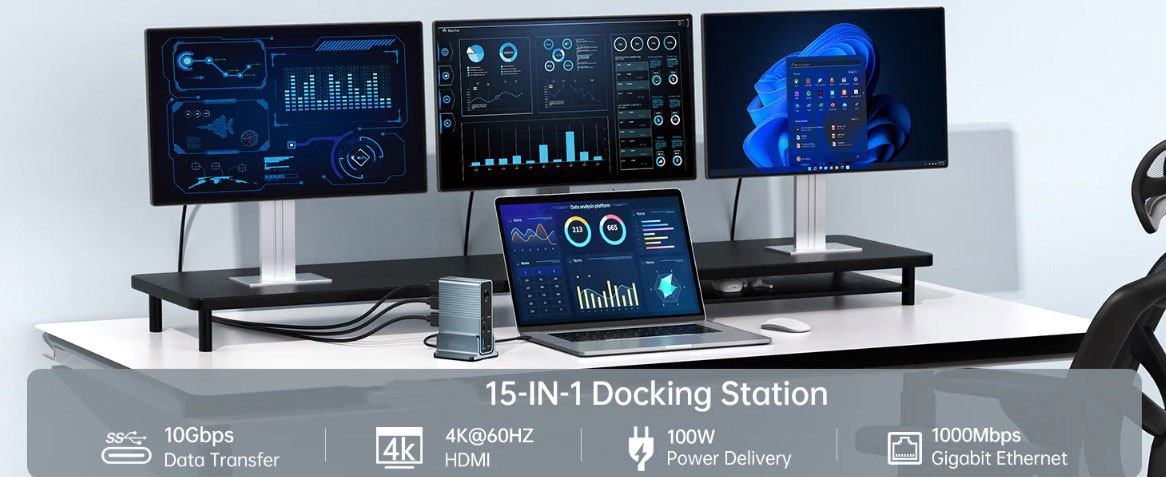
In the era of data explosion, for professionals managing massive storage devices or content creators seeking efficient ways to work, efficient and convenient data management has become a crucial part of daily tasks. As a reliable assistant for data management, hard drive docks are significantly optimizing people's workflows with their flexible and efficient features. Next, we will comprehensively analyze hard drive docks, covering their working principles, core advantages, and key considerations for selection.
A hard drive dock is a versatile peripheral device designed to simplify the connection and access of external hard drives. Unlike traditional single - hard - drive enclosures, it breaks through the limitation of single storage. With multiple slots or bays, it supports the quick replacement of 2.5 - inch or 3.5 - inch SATA hard drives, providing greater flexibility for data management.
It works via interfaces such as USB, eSATA, or Thunderbolt, connecting the inserted hard drives to a computer and turning them into large - capacity, highly flexible external storage devices. Some multi - functional docks can also connect devices like monitors, keyboards, and mice, transforming into connection hubs that meet diverse needs. The operation is extremely simple: just insert the hard drive into the dock and then connect the dock to the computer, and you can access, transfer, and back up data. The plug - and - play feature makes it a convenient tool for data management.
II. Seven Core Advantages of Hard Drive Docks
(I) Easy to Use and Get Started
Hard drive docks adopt a minimalist design. You can insert and remove hard drives without the need for screws, tools, or complex enclosures. This user - friendly plug - and - play feature allows even novice users to quickly master the operation, greatly reducing the usage threshold.
(II) Wide Compatibility, One Dock for Multiple Uses
Hard drive docks can easily accommodate various hard drives, from common 2.5 - inch and 3.5 - inch SATA hard drives, to older IDE hard drives, and external hard drives. There is no need to frequently change hard drive enclosures or use adapters to read data from different types of hard drives. It can be regarded as the "master key" for storage devices.
(III) High - Speed Data Transfer, Maximizing Efficiency
Modern hard drive docks are equipped with high - speed data transfer protocols such as USB 3.0, USB 3.1, eSATA, and Thunderbolt. They can significantly reduce the time for data backup, cloning, and migration. For IT professionals, photographers, and videographers dealing with large amounts of data, efficient data transfer means higher work efficiency.
(IV) Data Rescue, Saving the Day
When a computer crashes or the system malfunctions, a hard drive dock can quickly come to the rescue. By inserting the hard drive from the malfunctioning system into the dock, you can easily recover important data, making data recovery simple and efficient and reducing the risk and anxiety of data loss.
(V) Cost - Effective, High Cost - Performance
Compared with buying multiple external hard drive enclosures, hard drive docks are a more cost - effective choice. They can convert idle internal hard drives into external storage, making full use of existing resources and saving costs in the long run.
(VI) Organized Management, at a Glance
Managing and finding data from multiple hard drives can often be a headache. Hard drive docks can help users efficiently organize hard drives. Some products are also equipped with label options or management software, making it easy to catalog hard drives and keeping data management in order.
(VII) Hot - Swap Function, Flexible and Convenient
Many hard drive docks support the hot - swap function, allowing you to replace hard drives without turning off the device. This function greatly improves the convenience of operation and work efficiency for tasks that require frequent hard drive switching, such as testing, troubleshooting, or forensic analysis.
III. Eight Key Considerations for Selecting a Hard Drive Dock
(I) Compatibility: Prioritize Adaptability
Ensure that the dock is compatible with the types of hard drives you plan to use. In addition to the mainstream 2.5 - inch and 3.5 - inch SATA hard drives, if you deal with older IDE hard drives or special external hard drives, carefully confirm the compatibility.
(II) Connection Interfaces: Focus on Speed
Connection interfaces directly affect data transfer efficiency. USB 3.0 and USB - C interfaces are widely used and offer relatively fast transfer speeds. If you are looking for extreme speed,a dock supporting Thunderbolt is a better choice.
(III) Number of Bays: Choose According to Needs
Determine the number of bays based on your actual requirements. A single - bay dock is suitable for simple tasks, while dual - bay or multi - bay docks are more suitable for complex workflows, enabling simultaneous reading, writing, and cloning of multiple hard drives.
(IV) Hot - Swap Function: Guarantee Efficiency
For users who need to change hard drives frequently, the hot - swap function is essential. When purchasing, confirm whether the dock supports this function, which can significantly improve work efficiency.
(V) Build Quality and Durability: Opt for Quality
High - quality docks are made of durable materials and have stable bases and secure drive slots, able to withstand frequent daily use and ensure long - term stable operation.
(VI) Additional Features: Practical Add - ons
Some docks are equipped with practical additional features, such as a cloning function that allows you to copy drives without connecting to a computer, LED indicators that show drive activity, and integrated cooling systems to prevent overheating. You can choose according to your needs.
(VII) Power Supply: Ensure Stability
Pay attention to the power requirements of the dock. Make sure it can provide sufficient power for multiple hard drives, especially large - capacity 3.5 - inch hard drives, to avoid affecting hard drive performance or causing damage due to insufficient power supply.
(VIII) Price and Warranty: Consider the Long Term
Evaluate the price of the dock in combination with its functions and your budget. Avoid choosing low - quality products just to save money. At the same time, check the warranty period to provide after - sales protection for the use of the device.
With many advantages, hard drive docks have become indispensable tools for data management. Whether dealing with complex storage tasks or handling daily data needs, they can provide efficient solutions. When purchasing, fully consider all key factors to select a high - quality hard drive dock that meets your needs, and make data management easy and efficient from now on.