By PURPLELEC | 09 June 2025 | 0 Comments
Display port types explained: Choose the display connection solution that suits you
At a time when digital display technology is developing rapidly, the choice of display port type is directly related to the display effect and device performance. Different ports have different data bandwidths and signal transmission methods, which determine the quality of video and audio content on the screen.

From the perspective of signal transmission type, ana-log video signals are completely different from digital video signals. Analog signals are transmitted through continuous waves and rely on amplitude or frequency changes to present color and brightness. Their advantages are simplicity and compatibility, but they are susceptible to interference during long-distance transmission or conversion, and the picture quality is significantly reduced. Digital signals use binary codes to decompose video frames into digital formats, which can accurately restore images, have higher resolution and stronger anti-interference capabilities, and are ideal for high-definition video content.
Currently, there are five common display ports: VGA, HDMI, DisplayPort, DVI, and USB-C. They each have their own characteristics and are suitable for different scenarios.
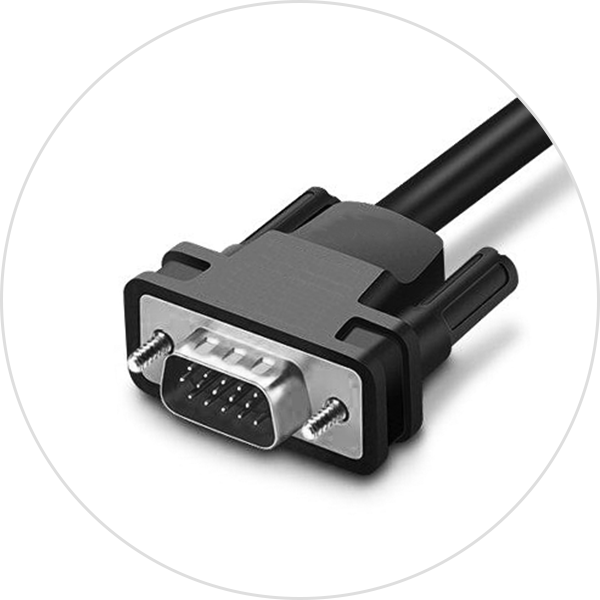
As a long-standing connection standard, VGA was launched in 1987 to transmit analog video signals. It is more common in old computers and monitors. However, its maximum resolution is only 640x480 pixels, which is difficult to meet the needs of modern high-definition display, but it still has a place in traditional systems.
HDMI (High Definition Multimedia Interface) can transmit high-definition video and audio signals with a single cable. It is a standard connection method for consumer electronic products and is widely used in monitors, TVs, game consoles and other devices. The latest HDMI 2.1 version supports up to 10K resolution and enhanced refresh rate, and is highly versatile.

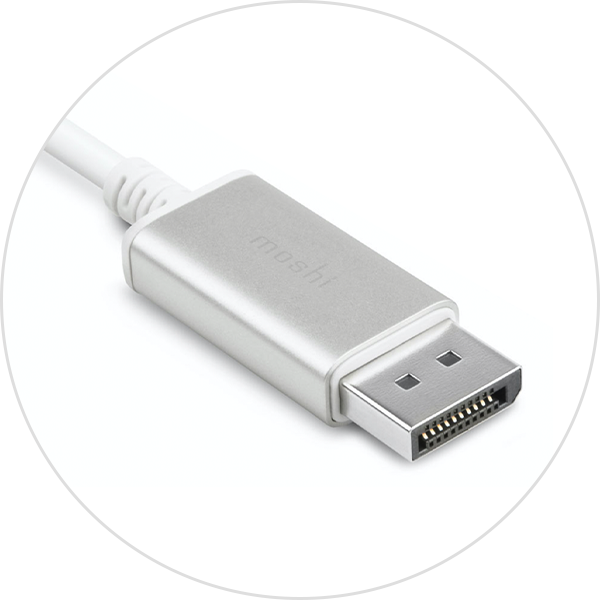
DisplayPort was developed by the Video Electronics Standards Association (VESA) to replace VGA and DVI, and can transmit high-definition video, audio and data. Its latest version can support 16K (60Hz, supports DSC) resolution and has the ability to connect multiple monitors. It is deeply loved by gamers and professional users.
DVI was launched in 1999 and can transmit digital and analog signals, and is compatible with new and old devices. However, in the consumer market, it has gradually been replaced by HDMI and DisplayPort, and is currently mainly used in professional environments and some dedicated monitors.

USB-C is the latest form of USB interface, known for its reversible design and versatility. It can transmit data, video and power at the same time, and is becoming more and more popular in modern laptops and smartphones. It can support multiple display protocols and is extremely flexible.

Different ports have significant differences in resolution, refresh rate, audio and video transmission quality and compatibility. In terms of resolution and refresh rate, VGA supports limited resolution and low refresh rate; HDMI can achieve high refresh rates from 1080p to 4K, and HDMI 2.1 can even reach 8K (60Hz); DisplayPort can handle 16K (60Hz) or 4K (240Hz), suitable for high-end scenarios; DVI has a higher resolution but the refresh rate performance is not as good as the previous two; USB-C performance depends on the protocol supported by the device. In terms of audio and video transmission quality, VGA analog signal quality is the lowest, HDMI and DisplayPort digital transmission quality is high, HDMI audio channels are richer, DVI lacks audio support, and USB-C performance depends on packaging technology. In terms of compatibility, VGA requires a converter to adapt to new devices, HDMI is widely used, DisplayPort is common in high-end devices, DVI requires an adapter to adapt to modern devices, and although USB-C is popular, some ports do not support video output.
In actual application scenarios, demand determines port selection. Gamers pursue the ultimate picture quality and smoothness. DisplayPort has become the first choice with its high resolution and refresh rate. HDMI 2.1 can also meet the needs of high-performance games; productivity users pay attention to device connection efficiency and multi-screen collaboration. USB-C has obvious advantages in multi-function integration, and DisplayPort's multi-stream transmission (MST) function facilitates multi-monitor daisy chain connection.
Looking to the future, display technology continues to evolve, and it is wise to choose a port with high bandwidth and support for new standards. HDMI 2.1, DisplayPort 2.1 and USB-C with multiple functions can not only meet current needs, but also reserve space for device upgrades. Whether it is game entertainment or office creation, choose the right display port according to your own needs and device characteristics to fully unleash the potential of the device and enjoy a high-quality display experience.
DisplayPort 1.4 vs 1.2: In-depth comparison of interface performance and purchase guide
DisplayPort vs HDMI: The Cable Conundrum - How to Choose?
Leave a Reply
Your email address will not be published.Required fields are marked. *