By PURPLELEC | 07 June 2025 | 0 Comments
DisplayPort vs HDMI: The Cable Conundrum - How to Choose?
When it comes to connecting source devices like gaming consoles, desktop computers, Blu-ray players, and set-top boxes to displays and TVs, DisplayPort and HDMI are the two most commonly used cables. For over a decade, they have remained the go-to solutions, and it's unlikely that the latest generations of each connector type will change that status quo. Both support the latest and most powerful specifications and features, including 4K and 8K resolutions, high refresh rates, a range of HDR standards, 10-bit color, as well as compression technologies like Display Stream Compression and chroma subsampling.
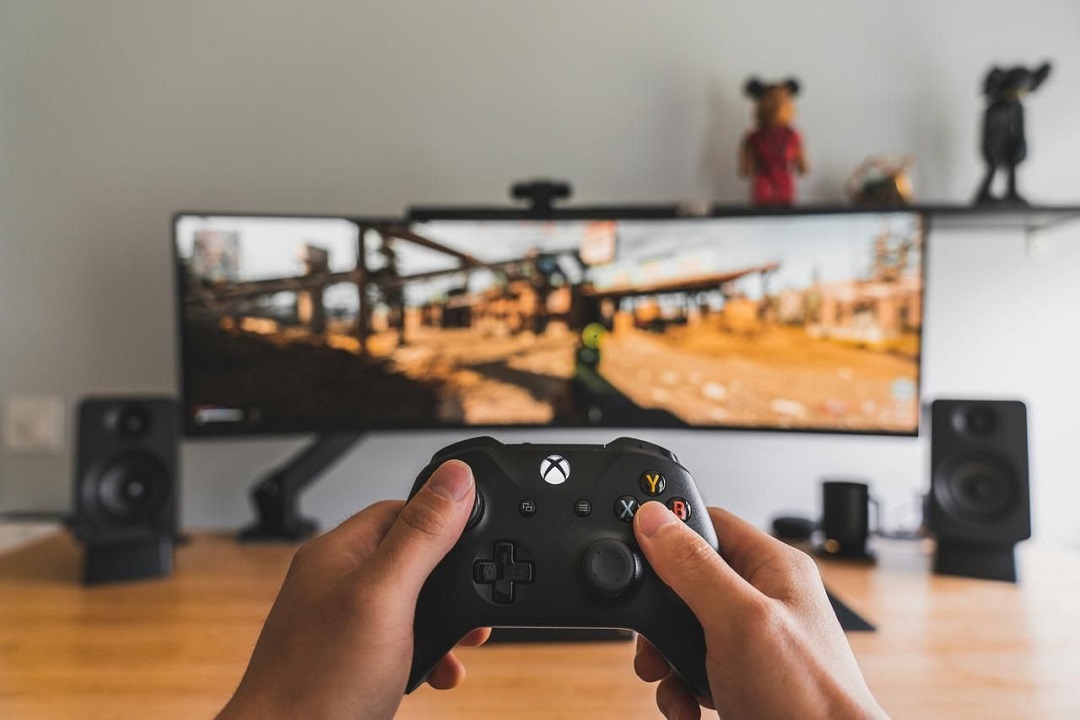
However, despite the many impressive capabilities that both HDMI and DisplayPort cables offer, there are also some notable differences between them. Depending on the versions being compared, the performance disparities (along with supported resolutions and refresh rates) can be quite significant, and there are features that are exclusive to one cable type or the other.
Over the past decade or so, these differences have fostered a healthy competition between the two cable standards. But beyond this mild rivalry, there are very practical reasons for choosing one connector or cable over the other. Gamers with graphics cards that have both DisplayPort and HDMI ports might wonder, "Is DisplayPort really better than HDMI?" Console gamers might just be curious, given that HDMI is their only connection option, but there's more to it than meets the eye. And these cables aren't just beneficial for entertainment-seeking users. Professionals should also consider whether to use DisplayPort or HDMI on their work computers.
After years of refinement and continuous upgrades in features, the debate between DisplayPort and HDMI is far from settled. Let's delve deeper into the practicality of these two cables and why you might choose one over the other.
Connector Comparison: DisplayPort vs. HDMI
Physical Differences
One of the most obvious distinctions between HDMI and DisplayPort connectors lies in their shape and size. The standard Type-A HDMI connector has 19 pins and is vertically symmetrical, meaning it can only be inserted in one direction. In an era where reversible USB-C connections and cables are becoming increasingly prevalent, this design might seem a bit outdated, but non-reversible connectors have been the norm for many years.

There are also less common Mini and Micro HDMI interfaces. They are much smaller in size but still use 19 pins (albeit with a different layout).
The standard DisplayPort interface has 20 pins and is roughly rectangular, with a notch in one corner to ensure proper orientation. This means it's not reversible, and since the interface is almost symmetrical, it can be a bit tricky to insert if you can't see the direction clearly. However, to ensure that the connection doesn't come loose once inserted, the DisplayPort interface is designed with small hooks that secure the cable, and you need to press a button to remove it.
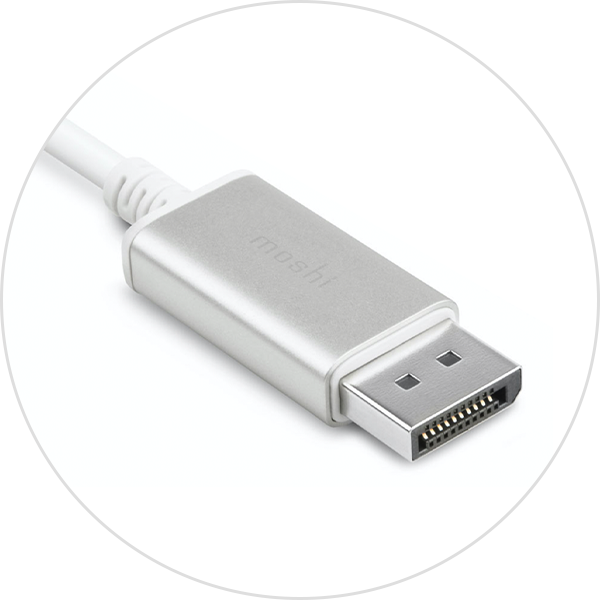
It also has a mini version with the same number of pins but a smaller size. Although Mini DisplayPort was initially prominent on Apple MacBooks and certain displays as part of Intel's early Thunderbolt design, it's less common nowadays, with new device manufacturers favoring USB-C.
Usage Scenario Differences
HDMI interfaces are more commonly found on living room devices and TVs and are often the only video input interface on modern high-end TVs. Most desktop computers and some high-end laptops also typically have just one HDMI port. On the other hand, DisplayPort is more prevalent on desktop computers and laptops. This makes the debate between DisplayPort and HDMI for gaming interfaces primarily center around where you want to play your games. If you're gaming on a console in your living room, HDMI is likely the better choice. If you're gaming on a desktop computer with a display, DisplayPort is more readily available and may offer more powerful features.
Bandwidth and Speed Comparison
At their core, DisplayPort and HDMI serve the same purpose. They are both cables that transmit audio and video signals from a source device to a display, supporting high resolutions and refresh rates. Over the years, both interfaces have gone through numerous versions, with each new standard constantly surpassing the other in terms of bandwidth improvements to support higher resolutions and frame rates, new features, and advanced compression technologies.
The differences between DisplayPort and HDMI largely depend on the versions being discussed. The two most common standards are DisplayPort 1.4 and HDMI 2.0, but this situation is starting to change with the release of the next-generation specifications for both standards. HDMI 2.1 and DisplayPort 2.0/2.1 are now supported by source devices and displays.
You'll find that there are more devices supporting HDMI than DisplayPort. However, in this case, the answer to the question "Is DisplayPort better than HDMI?" is undoubtedly yes - although it really does depend on the type of device you're connecting. Some displays, especially TVs, usually only offer HDMI interfaces. DisplayPort can be used with adapters or converters, but even if it theoretically offers higher performance, it may not always be the best solution.
HDMI 2.0 supports a maximum bandwidth of up to 18 Gbps, which is sufficient to handle 4K resolutions at up to 60Hz or 1080p resolutions at up to 240Hz. In contrast, DisplayPort 1.4 has a maximum bandwidth of 32.4 Gbps, which opens up the potential for higher resolutions and frame rates. It supports 4K resolutions at up to 120Hz (uncompressed) as well as 8K resolutions at 30Hz - something that HDMI 2.0 can't achieve, even with reduced chroma subsampling rates.
However, the landscape shifted in 2023 as more and more devices and displays began to support the new HDMI 2.1 standard, making the comparison between DisplayPort and HDMI for gaming even more interesting.
HDMI 2.1 more than doubles the maximum bandwidth to 48 Gbps, and thanks to a more efficient encoding scheme, its maximum data rate can reach 42 Gbps. This enables it to support 4K resolutions at 144Hz or 8K resolutions at 30Hz - and even higher resolutions if Display Stream Compression (DSC) is used. However, the most significant aspect of HDMI 2.1 is its support for higher refresh rates in console gaming. Both the Xbox Series X/S and PlayStation 5 support gaming at 4K 120Hz in certain games, and with an HDMI 2.1 connection, gamers can take full advantage of this on TVs that also support this resolution and refresh rate.
For PC gamers, the latest generation of graphics cards from Nvidia and AMD (RTX 3000/4000 and RX 6000/7000) are all equipped with HDMI 2.1 ports, so they can make full use of it. For Nvidia graphics cards, this might be the better choice, as even though they also come with DisplayPort connections, they are only DisplayPort 1.4, which can't provide the same bandwidth as HDMI 2.1.

However, AMD's RX 7000 graphics cards are the first to offer DisplayPort 2.1 interfaces - and not just one, but three! DisplayPort 2.1 is actually the same as DisplayPort 2.0, with just some minor updates to the specifications. The performance is exactly the same and equally impressive in every case.
DisplayPort 2.1 has a maximum total bandwidth of 80 Gbps and a maximum total data rate of 77.37 Gbps. This is part of three new transmission modes, and not all DisplayPort 2.1 cables and connections will support these modes. Its base performance is comparable to HDMI 2.1, with a total bandwidth of 40 Gbps and a per-lane rate of 10 Gbps, while other DisplayPort 2.1 connections support a per-lane rate of 13.5 Gbps, and the most powerful DisplayPort 2.1 connections can reach up to 20 Gbps.
DisplayPort 2.1 officially supports refresh rates of up to 4K 240Hz (without any form of compression) or up to 8K 60Hz - and it can go even further with the help of display stream compression and chroma subsampling technologies. Theoretically, with DSC, it can manage a 16K display with 10-bit color and HDR, or two 8K displays at 120Hz.
When these new graphics cards were first released, AMD emphasized that DisplayPort 2.1 technically enables refresh rates of up to 480Hz at 4K and 900Hz at 1080p, highlighting the alluring potential of such fast displays for competitive gamers. However, in reality, there are currently no displays that support these specifications, and only a handful of displays are starting to support 240Hz at 4K and 500Hz at 1080p refresh rates.
Feature and Advantage Comparison
In a head-to-head comparison between DisplayPort and HDMI, the differences extend beyond just bandwidth and connectors; there are also variations in features. One of the key technologies is ARC and eARC. Since HDMI 1.4, this technology has been incorporated into the HDMI standard, supporting bidirectional processing of audio data. This allows for the daisy-chaining of audio-visual devices, sources, and displays, reducing cable clutter and enhancing the bandwidth of audio connections compared to competing standards like S/PDIF and optical.
HDMI 2.1 introduces support for eARC, which leverages the additional data rate of the new standard to increase support for uncompressed 5.1 and 7.1 surround sound, as well as 3D sound technologies like Dolby Atmos and DTS:X.
DisplayPort, as a widely adopted standard, has achieved great success beyond its primary connector. It is included in Thunderbolt and USB-C connections, enabling video transmission through these alternative cables and ports - all of which are available at the Cable Matters store.
DisplayPort 2.1 improves data transmission over USB-C cables. It also introduces a new naming convention for DisplayPort cables, with some cables now labeled with DP40 and DP80 tags, indicating their ability to provide data rates of 40 Gbps or 80 Gbps, respectively.
Both the HDMI and DisplayPort standards support variable refresh rates, but DisplayPort supports both AMD's Freesync and Nvidia's G-Sync, while HDMI only supported the former in older standards like HDMI 2.0 and HDMI 1.4. However, the latest generation of HDMI 2.1 does support G-Sync.
DisplayPort cables also have a longer transmission distance than HDMI cables. Passive DisplayPort cables can typically reach lengths of up to around 5 meters before signal degradation becomes an issue. In contrast, the latest HDMI 2.1 cables may start to have problems at around 3 meters. Active cables, on the other hand, can use fiber-optic transmission technology to extend the transmission distance of both standards to up to 15 meters.
The Future of Audio and Video: DisplayPort vs. HDMI
DisplayPort and HDMI remain widely used display interfaces, each with its own unique strengths and features. DisplayPort 2.1 and HDMI 2.1 are the latest versions of their respective standards and have introduced several improvements.
Compared to HDMI 2.1, DisplayPort 2.1 offers a higher maximum bandwidth, enabling higher resolutions and refresh rates without compression. It can support resolutions up to 10K @ 60Hz, providing smooth and detailed visuals for gaming and multimedia applications. With DSC, DisplayPort 2.1 can support a single display up to 16K @ 60Hz. Additionally, DisplayPort 2.1 supports Multi-Stream Transport (MST) technology, allowing for the daisy-chaining of multiple displays, which enhances productivity and flexibility. It supports dual 4K @ 144Hz displays. On the other hand, HDMI 2.1 supports single 8K @ 60Hz and 4K @ 144Hz, meeting the growing demand for higher resolutions and smoother graphics. It also offers features like Dynamic HDR, which enhances the color and contrast of supported content for a more immersive viewing experience. HDMI 2.1 supports Variable Refresh Rate (VRR), including AMD FreeSync and NVIDIA G-SYNC, enabling tear-free gaming and reducing input lag.
When choosing between DisplayPort and HDMI, it's essential to consider your specific needs and use cases. For gaming enthusiasts and professionals who require high refresh rates and multi-display configurations, DisplayPort may be more suitable. HDMI, on the other hand, remains a popular choice for consumer electronics and home theaters due to its widespread compatibility.
Both DisplayPort and HDMI are continuously evolving, each with its own unique advantages. The choice between them depends on individual requirements, preferences, and the specific application or device in question.
Display port types explained: Choose the display connection solution that suits you
Should you buy DisplayPort 1.4?
Leave a Reply
Your email address will not be published.Required fields are marked. *