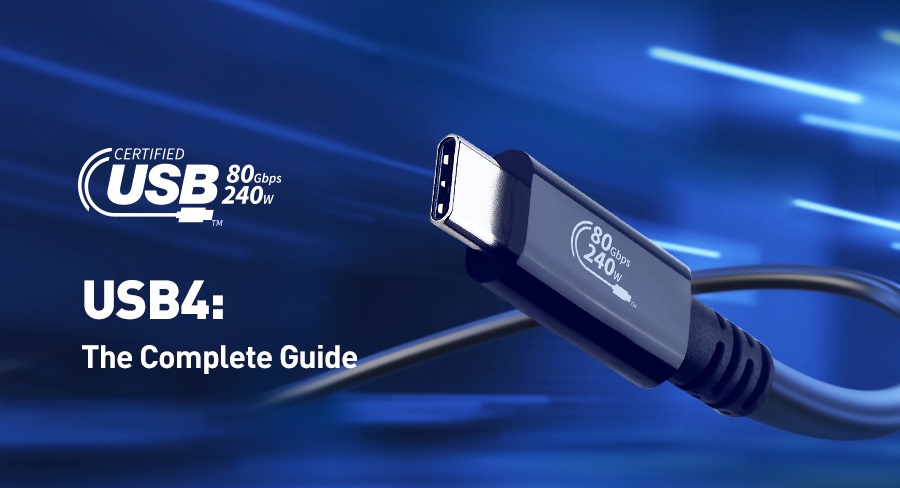
For decades, Universal Serial Bus (USB) technology has served as the cornerstone of device connectivity, constantly evolving to meet the ever-increasing demands for speed, power, and versatility. The latest iteration, USB4, represents a significant leap forward, offering higher data transfer rates, enhanced power delivery capabilities, and broader compatibility with a wide range of devices. This article will delve into the advantages and compatibility of USB4, its applications in modern laptops and devices, and its integration with existing Purplelec docking stations and related products.
Unveiling USB4: Advantages and Compatibility
Built upon the Thunderbolt 3 protocol, USB4 aims to unify the USB and Thunderbolt ecosystems, bringing several key benefits:
Blazing-Fast Data Transfer
USB4 supports data transfer rates of up to 40 Gbps, which is twice the maximum speed of USB 3.2. This enhancement enables rapid file transfers, smooth streaming of high-resolution videos, and efficient execution of data-intensive tasks. For instance, transferring large video files or backing up extensive data sets becomes significantly faster, saving valuable time for users.
Enhanced Versatility
The architecture of USB4 allows for the simultaneous transmission of multiple data and display protocols. This means that a single USB4 port can handle data transfer, video output, and power delivery concurrently, reducing cable clutter and simplifying connections. Users no longer need to juggle multiple cables for different functions, as one USB4 port can fulfill multiple needs.
Backward Compatibility
One of the notable advantages of USB4 is its backward compatibility with previous USB versions, including USB 3.2, USB 2.0, and optionally Thunderbolt 3. This ensures that existing peripherals can operate seamlessly with USB4 ports, protecting users' investments in legacy devices. For example, older external hard drives or printers can still be used with new devices equipped with USB4 ports without any compatibility issues.
Dynamic Bandwidth Allocation
USB4 can intelligently allocate bandwidth based on the requirements of connected devices. For example, if a connected display requires 20% of the bandwidth, the remaining 80% can be utilized for data transfer, optimizing the performance of all connected peripherals. This dynamic allocation ensures that each device receives the necessary resources for optimal operation, enhancing overall system efficiency.
The Rise of USB4 in Modern Laptops and Devices
Since 2025, USB4 has been gaining increasing popularity in modern laptops and devices, driven by manufacturers' commitment to providing users with faster and more diverse connectivity options. Here are some notable implementations:
GIGABYTE AORUS 16X Laptop
This high-performance laptop incorporates USB4 technology, offering users the advantages of faster data transfer speeds and a variety of connection options. Whether it's transferring large files for work or connecting to external displays for gaming, the USB4 ports on the GIGABYTE AORUS 16X provide a reliable and efficient solution.
Apple MacBook Series
Both the MacBook Air and MacBook Pro models from Apple are now equipped with USB4 ports, delivering enhanced data transfer capabilities and compatibility with a wide range of peripherals. Users can easily connect external storage devices, displays, and other accessories, expanding the functionality of their MacBooks.
Dell XPS Series
The Dell XPS series has also adopted USB4, providing users with faster data transfer rates and improved connection options to meet the demands of professionals and creatives. With USB4 ports, users can quickly transfer large design files or connect to multiple external monitors for a more productive workflow.
USB4 Cables: What You Need to Know
To fully leverage the capabilities of USB4, it is essential to use cables that meet the required specifications:
Certified Cables for Optimal Performance
Since USB4 operates at higher data rates, certified cables are necessary to achieve optimal performance. These cables are designed to handle the increased bandwidth and power delivery associated with USB4, ensuring reliable and efficient data transfer. Using non-certified cables may result in subpar performance or compatibility issues.
Backward Compatibility Considerations
Although USB 4 ports are backward compatible with previous USB versions, using older cables may limit performance. To maximize data transfer speeds and power delivery capabilities, it is recommended to use cables that are compatible with USB 4. This ensures that users can fully experience the benefits of USB4 technology without any bottlenecks.
Purplelec TU001 Thunderbolt™ 4 Docking Station
The TU001 is compatible with USB-C, Thunderbolt 3/4, and USB4, allowing it to adapt instantly to its host system and provide additional ports, display connections, and data transfer capabilities. It offers up to 80W of power output, making it ideal for high-power laptops. With the TU001, users can easily connect multiple peripherals, such as external hard drives, monitors, and keyboards, to their laptops, creating a more efficient and organized workspace.
User Considerations for Integration
When integrating USB4 devices with existing Purplelec docking stations, users should keep the following points in mind:
Compatibility Assurance
Ensure that your docking station is compatible with USB4 or at least with USB-C to maintain proper functionality. While USB4 ports are backward compatible, the connected docking station must support the necessary protocols to work correctly. Checking the compatibility specifications of both the device and the docking station before making a connection can prevent potential issues.
Performance Implications
Using a docking station that does not support USB4 may lead to reduced data transfer speeds and limited functionality. To fully utilize the capabilities of USB4, consider upgrading to a docking station that supports this standard. This investment can significantly enhance the overall performance and user experience when working with USB4 devices.
Firmware Updates
Some docking stations may require firmware updates to ensure optimal compatibility with USB4 devices. Consult the support resources provided by the manufacturer, such as VisionTek in this case, to determine if your docking station needs an update. Keeping the firmware up to date can resolve compatibility issues and improve the stability and performance of the docking station when used with USB4 devices.
In conclusion, USB4 represents a significant advancement in connectivity technology, offering numerous advantages in terms of speed, versatility, and compatibility. By understanding its features, applications, and integration considerations, users can make the most of this innovative technology and enhance their digital experiences.