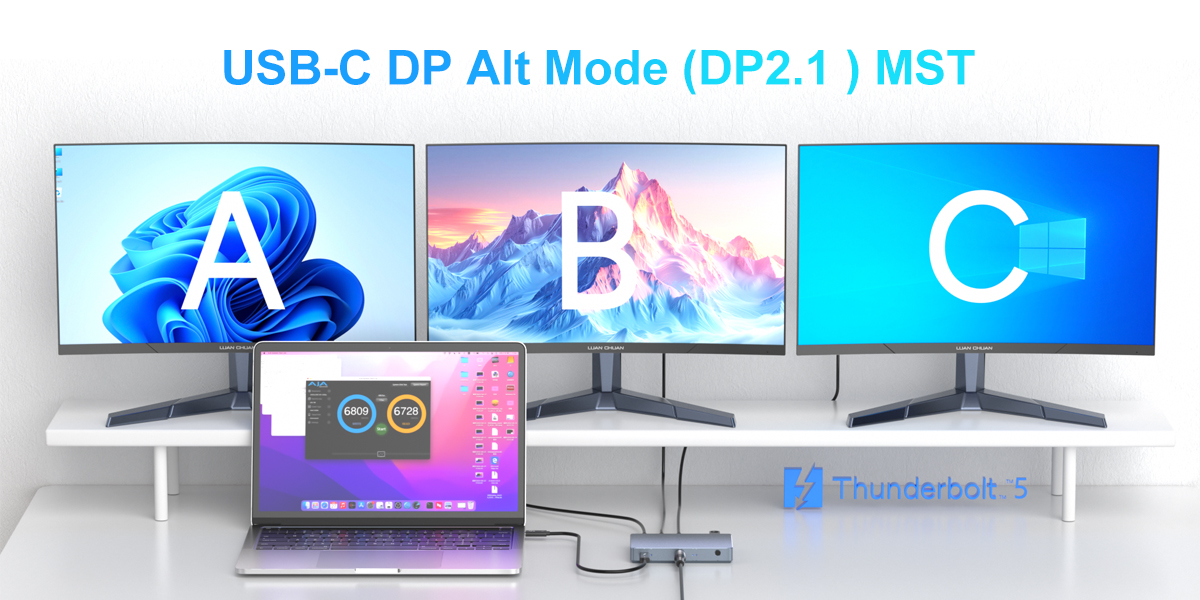
Your MacBook boasts impressive performance, but pairing it with the right tech accessories is the key to fully unlocking its capabilities. Whether you're a creative professional, a remote worker, or a student, modern docking stations, cables, adapters, and chargers can significantly enhance your work efficiency and overall experience. By simply upgrading the tech devices on your desk, you can leverage Purplelec's products to create a highly efficient tech ecosystem, enabling multi-monitor setups for M1 and M2 Macs and keeping your devices fully charged.
For MacBook users, the ability to connect multiple displays is of paramount importance. DisplayLink docking stations are designed to seamlessly integrate with M1 and M2 Macs, allowing you to expand your workspace across multiple monitors. This setup is particularly advantageous for tasks that demand a large amount of screen real estate, such as video editing, graphic design, and data analysis.
DisplayLink is a technology that enables the easy connection of multiple monitors to a MacBook through a single USB port. It combines hardware and software to transmit video data from the computer to other displays, providing a seamless multi-monitor experience without overburdening the MacBook's internal GPU.
For Mac users, DisplayLink docking stations offer significant benefits by overcoming the limitation of the relatively small number of external displays supported by the M1 and M2 chips. With DisplayLink, you can connect multiple high-resolution monitors, thereby improving your work efficiency and multitasking capabilities.
The significance of a docking station extends beyond simply connecting more screens; it also lies in integrating your peripheral devices into a single hub. Purplelec's DisplayLink docking stations come with a variety of ports, including USB-C, USB-A, HDMI, and Ethernet, allowing you to easily connect all your essential devices.
Essential MacBook Accessories: Tools for Connection and Expansion
Cables and Adapters: Ensuring Smooth and Reliable Connections
High-quality cables and adapters are essential for achieving smooth and reliable connections. Purplelec offers a range of cables and adapters that are perfectly matched to your MacBook, ensuring fast data transfer speeds and stable connectivity.
USB-C to HDMI 2.0 Active 2-Meter Cable: Use the Purplelec USB-C to HDMI 2.0 Active 2-meter cable to effortlessly connect your MacBook to an HDMI display. This plug-and-play cable supports resolutions up to 3840 x 2160 (60Hz), delivering clear and sharp visuals to your external display. Whether you're mirroring your screen for presentations or extending your desktop for more workspace, this cable ensures high-quality video output without the need for additional drivers. Ideal for connecting your MacBook to monitors, TVs, or projectors, its 2-meter length provides flexible setup options, and its sturdy construction ensures a reliable connection. This cable is a perfect choice for both professional and personal use, enhancing the versatility and practicality of your MacBook.
Docking Stations: Elevating Your MacBook Experience
HBC104 Dual-Display 4K USB 3.0/USB-C Docking Station: Enhance your MacBook experience with the Purplelec HBC104 Dual-Display 4K USB 3.0/USB-C Docking Station. This versatile docking station supports up to two 4K displays, offering an immersive visual experience that boosts your work efficiency and creativity. Whether you're designing, editing, or multitasking, the dual-display feature provides you with a larger and more organized workspace, reducing the need to frequently switch between applications.
In addition to its exceptional display capabilities, the HBC104 is equipped with USB 3.0 and USB-C ports, enabling seamless connectivity. You can connect various peripheral devices, transfer data at high speeds, and keep your workspace tidy and organized. For professionals who demand performance and efficiency, this docking station is an ideal choice, transforming your MacBook into a powerful workstation that allows you to accomplish more in less time.
DS018R Triple-Display 4K USB 3.0/USB-C Docking Station: The Purplelec DS018R Triple-Display 4K USB 3.0/USB-C Docking Station takes your multitasking capabilities to the next level. Designed to support up to three 4K displays, this docking station ensures high-quality visuals across multiple monitors, making it perfect for professionals who need to manage multiple applications simultaneously, such as financial analysts, creative professionals, and software developers. The DS018R provides you with the screen space you need to stay productive and focused.
Not only does the DS018R excel in display performance, but it also features USB 3.0 and USB-C ports, offering powerful connectivity options. You can easily connect various devices and peripherals, streamline your workflow, and reduce desktop clutter. Enhance the functionality and efficiency of your MacBook with the DS018R and enjoy a smooth, high-performance work environment that keeps you ahead of the curve.
Best Practices for Using Tech Accessories: Optimizing Your Tech Ecosystem
Organize Your Workspace
A tidy workspace can significantly improve your work efficiency. Using a docking station helps reduce cable clutter and keeps your desk organized. Opt for multi-functional accessories that can replace multiple single-function devices.
Optimize Display Settings
When using multiple displays, adjust them according to your workflow. Place your primary monitor directly in front of you and position your secondary monitor(s) to the side. Fine-tune the display settings on your MacBook to achieve the best resolution and scaling.
Regularly Update Firmware and Drivers
Ensure that your docking stations and other peripheral devices are running the latest firmware and drivers. This helps maintain compatibility and performance, especially after macOS updates.
Why Choose Purplelec: Quality and Service Guaranteed
Purplelec's products are designed with the needs of MacBook users in mind. The company places a strong emphasis on quality, reliability, and performance, offering a wide range of accessories that enhance your computing experience while maintaining a stylish and functional design.
Purplelec provides comprehensive customer support and warranty options to guarantee the quality of its products. Whether you have questions about setup or need assistance with a product, Purplelec's support team is always ready to help. Unleashing the full potential of your MacBook goes beyond the laptop itself. By integrating modern docking stations, cables, adapters, and chargers, you can create a powerful and efficient tech ecosystem that meets all your productivity needs.
Purplelec offers a series of high-quality products aimed at enhancing your MacBook experience, making them an ideal choice for tech enthusiasts and professionals alike.