In today's digital age, the electronic devices around us are becoming more and more numerous, from computers and laptops to smartphones and tablets, plus various external devices such as printers, hard drives, cameras, etc., which put forward higher requirements for the convenience and efficiency of device connection. As a tool that can significantly expand the connection capabilities of devices, USB hubs are gradually becoming a powerful assistant in people's work and life. Understanding key information such as the type of USB hub, charging function, and compatibility with devices is of great significance for optimizing work and entertainment settings and improving the user experience.
Contents
I. USB hub: the core device for connection and expansion
(I) Definition and function
(II) Various types to meet different needs
II. Accurate selection to adapt to device needs
(I) Select version according to device type
(II) Pay attention to charging function
(III) Compatibility considerations
III. Expand applications and tap more value
(I) Peripheral device connection
(II) Game console application
(III) Additional functions to enrich experience
(IV) Special scene application
IV. Correct cognition to avoid misunderstandings
(I) Performance improvement misunderstandings
(II) Network connection misunderstandings
(III) Special device connection misunderstandings
V. Summary: Rational use and enjoy convenient experience
I. USB hub: the core device for connection and expansion
(I) Definition and function
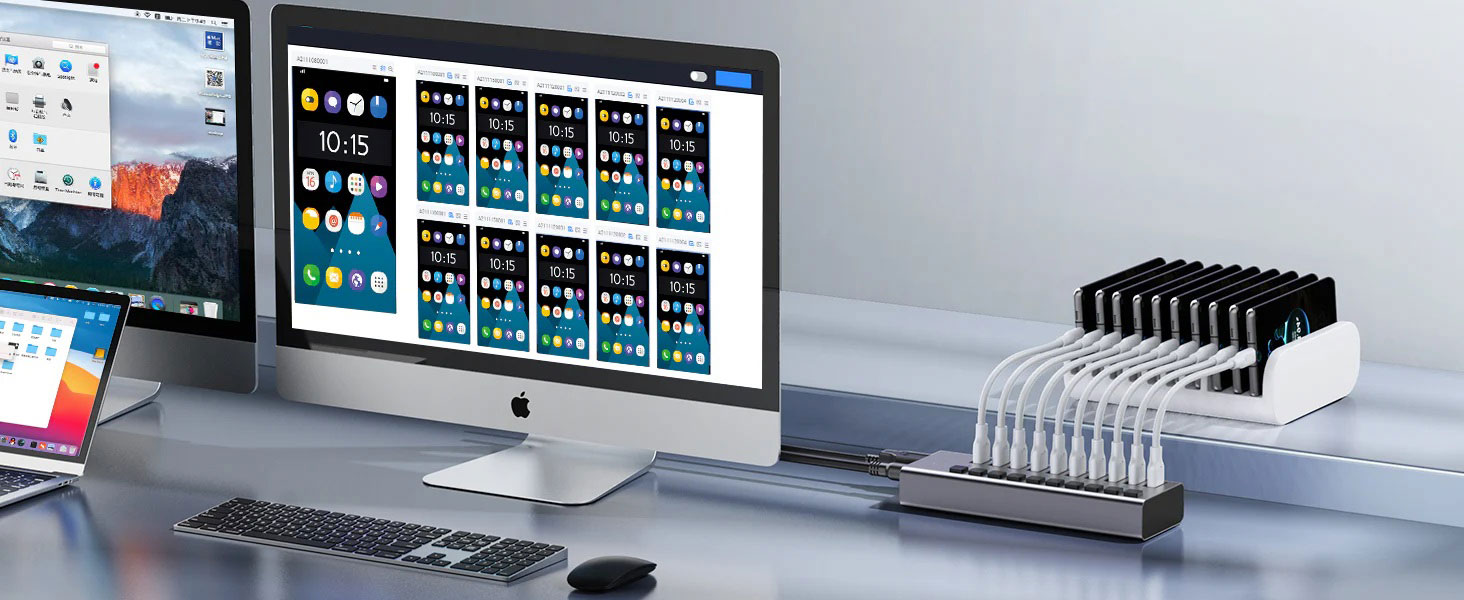
A USB hub, in simple terms, is a device used to expand the number of available USB ports on a computer or laptop. In daily use, we often face such troubles: the number of USB ports on the computer is limited. When multiple devices need to be connected at the same time, we have to frequently plug and unplug the devices, which is extremely inconvenient. The emergence of USB hubs perfectly solves this problem. It allows users to connect multiple devices at one time, such as external hard drives, printers, USB flash drives, cameras, and various other peripherals, greatly simplifying the device connection settings and significantly improving work efficiency.
(II) Various types to meet different needs
USB hubs are not all the same. According to different standards, they can be divided into many types. Among them, classification by USB version is the most common way, mainly including the following:
USB 2.0: The data transmission rate can reach up to 480Mbps. For low-power devices such as keyboards, mice, and some older peripherals, USB 2.0 hubs can meet their data transmission needs, and the cost is relatively low.
USB 3.0: The transmission speed is greatly improved, up to 5Gbps, which makes it very suitable for connecting external hard disks, high-speed devices and other devices that require high data transmission speed, and can significantly speed up the reading and writing of data.
USB 3.1: A further upgrade based on USB 3.0, the speed is increased to 10Gbps, and it also has better performance in power transmission, providing more stable and efficient power support for devices.
USB 3.2: Through specific configuration, it can achieve a transmission speed of up to 20Gbps, which can meet application scenarios with extremely high bandwidth requirements such as high-speed video transmission and fast copying of large files.
In general, the higher the version number of the USB hub, the faster its data transmission capacity, the more perfect its power management, and the backward compatibility with older devices, which means that when users choose a higher version of the USB hub, they don’t have to worry about the problem that existing devices cannot be used.
II. Accurate selection to meet device requirements
(I) Select the version based on the device type
When choosing a USB hub version, the key is to identify the type of device to be connected.
Modern high-speed devices: If you are using modern devices such as SSDs (solid-state drives) and video capture devices that require high transmission speeds, then USB 3.x hubs are undoubtedly the best choice. Its high-speed data transmission capability can give full play to the performance advantages of these devices and avoid affecting the user experience due to transmission speed bottlenecks.
Traditional low-speed devices: For traditional devices that do not require high-speed transmission, such as ordinary keyboards and mice, USB 2.0 hubs are fully capable of meeting device connection requirements and saving costs.
Mixed device connection: If you have a variety of device types, including both new and old devices, USB 3.x hubs can accommodate different types of devices at the same time due to their compatibility, providing you with a convenient one-stop connection solution.
(II) Pay attention to charging functions
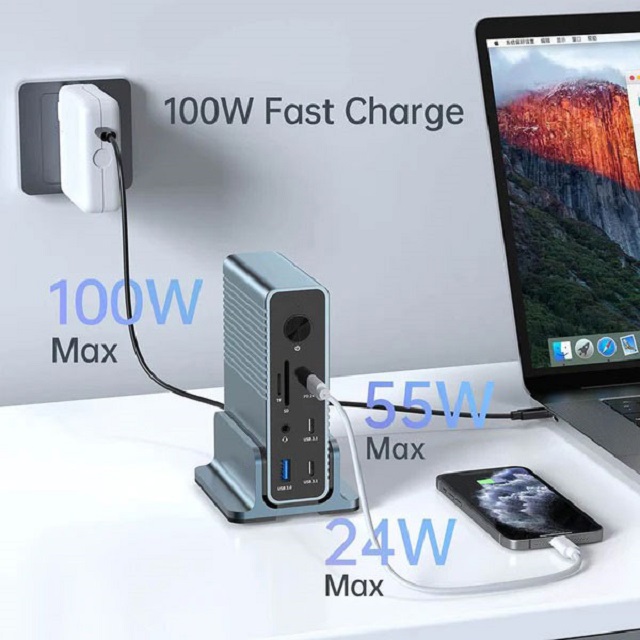
Many USB hubs are equipped with dedicated charging ports, which have unique advantages in charging devices. Compared to standard data ports, charging ports are usually able to provide higher power output, generally 2.1A or higher, which allows them to charge smartphones, tablets, and other small electronic devices faster. Especially when you need to charge multiple devices at the same time, it is particularly important to choose a USB hub that clearly indicates that it has powerful charging capabilities.
(III) Compatibility considerations
Compatibility with computers: The vast majority of USB hubs are widely compatible with computers with USB ports, whether they are running Windows, macOS, or Linux. In addition, some game consoles and smart TVs also have the ability to recognize USB hubs. By connecting USB hubs, device connections can be expanded, bringing more convenience to users. When choosing a USB hub, just make sure that the hub's interface type (such as USB-A or USB-C) matches the available ports on the computer.
Number of connected devices and power specifications: Different USB hubs differ in design and power specifications, which directly affects the number of devices that can be connected. Some hubs offer only four ports, while others offer as many as 10 or more. When connecting devices, pay special attention to power requirements. When connecting multiple high-power devices, such as multiple external hard drives, ordinary passive hubs may not be able to provide enough power, so you need to choose an active hub. Active hubs are equipped with an external power supply to ensure that all connected devices have sufficient power supply for stable operation.
III. Expand applications and tap more value
(I) Peripheral device connection
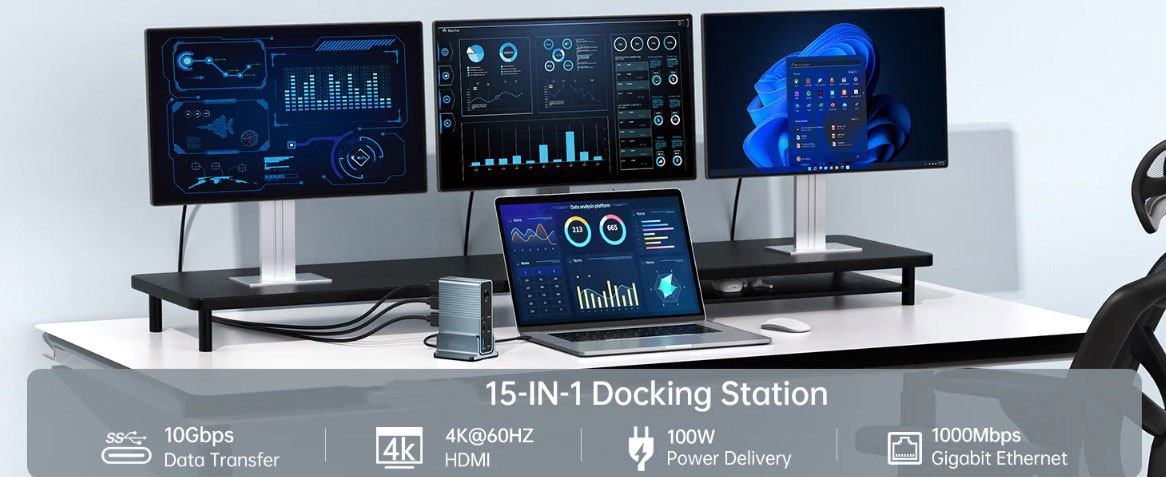
USB hubs perform well in connecting various peripheral devices. They can easily connect common devices such as keyboards, mice, and webcams. This convenient connection method eliminates the need for users to connect a large number of cables directly to the computer, effectively avoiding the mess of the workspace due to the clutter of cables, and also facilitates the centralized management and use of devices.
(II) Game console application
For game enthusiasts, many game consoles support the use of USB hubs. By connecting a USB hub, players can easily connect multiple game controllers, which provides the possibility for local multiplayer games and greatly enriches the gaming experience. In addition, external storage devices can be connected to store more game data or expand the storage space of the game console. However, the compatibility of USB hubs may vary from game console to game console. Before using, it is best to consult the manual or official support page of the game console for specific usage guidelines.
(III) Additional functions enrich the experience
In addition to the basic connection functions, some USB hubs also have rich additional functions, which further enhance their use value.
LED lighting: Some USB hubs have LED lighting functions, which not only adds a touch of beauty to the device and makes it more modern in appearance, but also facilitates user operation in low-light environments, such as when used at night, the location of each interface can be clearly seen.
Built-in card reader: For photographers or content creators, a USB hub with a built-in card reader is a boon. It can easily read data from SD or microSD cards and achieve fast file transfer, without the need for a separate card reader, which greatly improves work efficiency.
Powerful data transmission capability: Some high-end USB hubs excel in data transmission. They can not only achieve high-speed data transmission, but also charge devices at the same time, meeting users' dual needs for data interaction and device power supply.
(IV) Application in special scenarios
Charging when the computer is turned off: Whether the device can be charged when the computer is turned off depends on the design of the USB hub. Active USB hubs can charge devices even when the computer is turned off when connected to an external power source; passive hubs usually cannot charge devices when the computer is turned off because they rely on the host for power supply.
Connecting smartphones and tablets: If your smartphone or tablet supports the USB On-The-Go (OTG) function, you can connect devices such as USB drives, keyboards, or mice directly to the mobile device by connecting a USB hub using an OTG adapter. This function is very practical in scenarios such as file transfer and mobile office, greatly expanding the scope of use of mobile devices.
IV. Correct cognition and avoidance of misunderstandings
(I) Misunderstandings about performance improvement
It should be clear that USB hubs cannot directly enhance the processing power or running speed of computers. Its main function is to improve the convenience and expandability of device connection, allowing users to manage multiple devices more efficiently, reducing the trouble caused by frequent plugging and unplugging of devices, thereby indirectly improving the efficiency of work and entertainment.
(II) Misconceptions about network connection
USB hubs are only used to expand USB connections and cannot realize network connection functions. If you need to connect your computer to a network, you must use an Ethernet port or a WiFi adapter. Trying to connect to the network through a USB hub is unrealistic and may cause network connection failure.
(III) Misconceptions about special device connection
External graphics cards: Standard USB hubs cannot connect to external graphics cards because external graphics cards require special connection interfaces, such as Thunderbolt 3 or 4, which can provide higher bandwidth to meet the high performance requirements of graphics cards. The bandwidth of USB hubs is far from supporting the operation of external graphics cards.
Multiple monitors: Connecting multiple monitors requires specific video interfaces, such as HDMI, DisplayPort, or VGA. USB hubs do not have enough bandwidth to transmit video signals and therefore cannot be used to connect multiple monitors. If you need to connect multiple monitors, you should choose a dedicated multi-screen display solution.
V. Summary: Reasonable use, enjoy a convenient experience
In summary, as a powerful device connection expansion tool, the USB hub plays an indispensable role in modern digital life. It not only expands the connection capabilities of computers or tablets, allowing users to easily connect multiple peripherals, but also has a charging function, which further enhances the convenience of device use. By deeply understanding the various types of USB hubs, compatibility with different devices, and rich functional features, users can accurately choose the right USB hub according to their actual needs, thereby significantly enhancing the digital experience. Whether in a busy work scene, in a leisurely and entertaining game time, or in daily life, you can feel the efficiency and convenience brought by the USB hub.