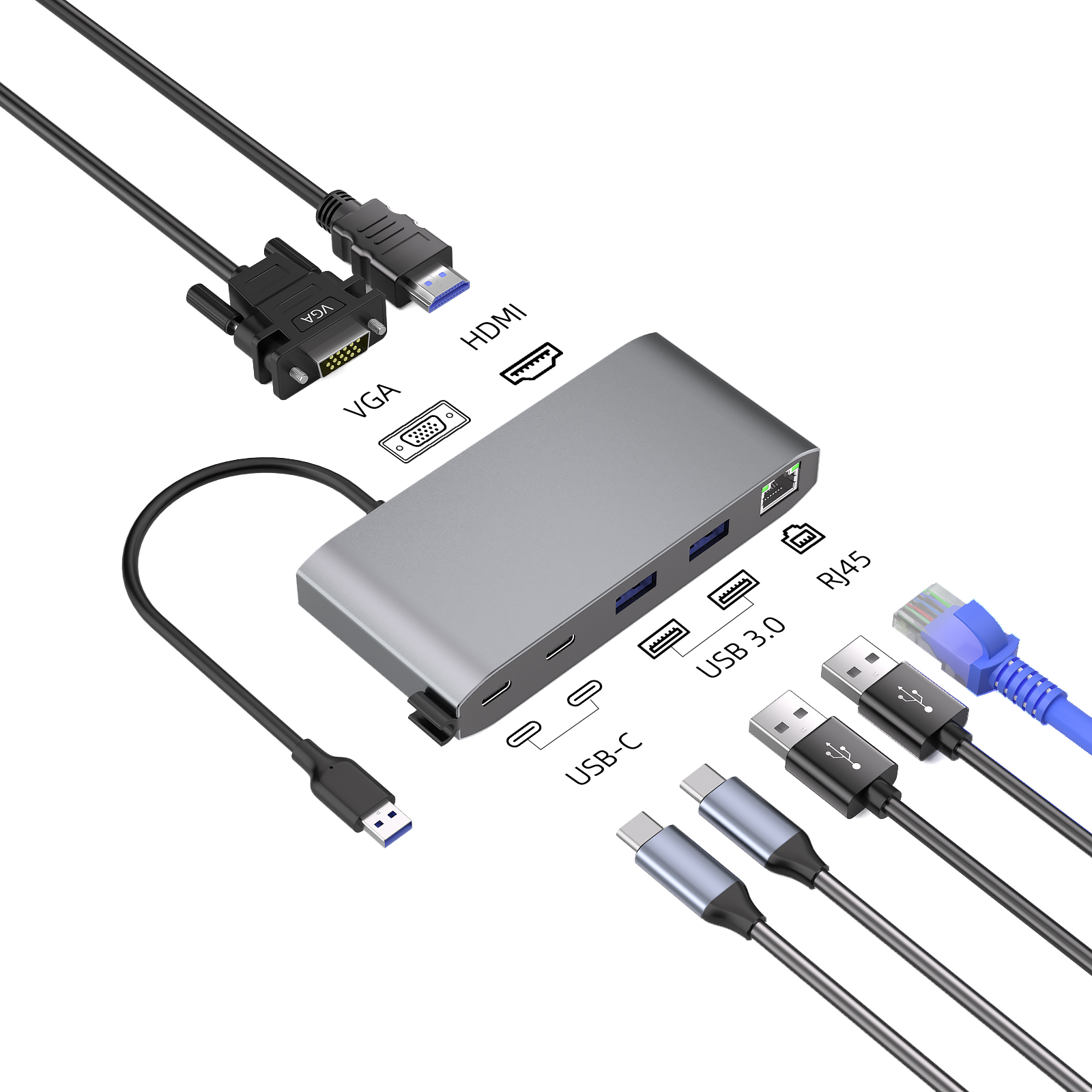
Are you still worried about connecting devices to your computer with various cables and adapters? USB-C hubs seem to be the ideal choice, but some people worry that they will slow down the computer. This article will reveal the truth of this question and help you determine whether a USB-C hub is right for you, so that you can simplify device connections without sacrificing computer performance.
USB-C Hub: The New Favorite for Efficient Connection
In recent years, USB-C connectors have been favored for their efficient performance. USB-C (Universal Serial Bus Type-C) has become a standard interface for charging handheld devices and quickly transferring data. It can not only transfer files at high speed, but also provide convenient power supply, helping to connect various electronic devices, and has become a must-have accessory for users around the world to connect peripherals.
USB-C Hub Function Revealed
A USB-C hub is like a workstation. After connecting to a single USB-C port, multiple electronic devices can be connected at the same time. It integrates multiple ports such as SD card reader, HDMI, Ethernet, USB-A, etc., so that devices can be connected without interfering with each other.
USB hubs are responsible for power distribution and data transmission between computers and connected devices. USB-C hubs support protocols such as USB 3.1 and 3.2, can detect and adapt to the maximum data transmission speed, and some hubs are also pre-installed with Power Delivery (PD) function to charge devices.
The impact of USB-C hubs on computer performance
Despite the many benefits of USB-C hubs, people are still worried that it will reduce computer performance. Factors such as quality, available bandwidth, and connected devices may affect its performance.
It is crucial to buy a high-quality USB-C hub. Cheap and low-quality products may cause technical problems such as performance degradation and difficulty in connection.
Total bandwidth is also a factor to consider when purchasing. Exceeding the total bandwidth of the hub will result in slower speeds and a sluggish experience.
In daily use, USB-C hubs usually do not interfere with computer performance. However, when connecting multiple peripherals and streaming high-quality video or large files (such as 4K video) at the same time, performance may degrade if the bandwidth exceeds the limit.
Benefits of an integrated USB-C hub
1. Expandability: Additional ports allow you to connect multiple electronic devices to your computer for easy access.
2. Versatility: A variety of ports meet your needs for connecting different devices, such as USB-A, Ethernet, HDMI, and SD card reader.
3. Convenience: Easily connect and disconnect devices without the hassle of plugging and unplugging cables from your laptop or PC.
4. Improve productivity: Convenient preset multitasking allows you to make full use of all connected peripherals and tools to improve productivity and creativity.
Key features of choosing a USB-C hub
Before purchasing a USB-C hub, you need to understand its advantages and consider the following factors:
1. Port selection: Choose the right port according to your needs, such as Ethernet, SD card reader, HDMI, etc.
2. Data transfer speed: Make sure the hub supports fast data transfer, such as USB 3.1 and 3.2, for smooth transfer and performance.
3. Power Delivery (PD) support: If you need to charge your device, choose a hub with high power support.
4. Manufacturing quality: Materials and brand reputation determine the quality of the hub. High-quality products have a longer life and are more durable.
5. Compatibility: Check the product specifications to ensure that the hub is compatible with your device.
6. Brand reputation: Choose a brand with a good reputation and positive customer feedback to ensure product quality and durability.
7. Design: Hubs come in a variety of designs and types, and you can choose according to your personal needs and preferences.
Alternatives to USB-C hubs
If you don't want to use a USB-C hub, there are alternatives:
1. USB-C docking station: It can provide more additional ports and functions, enriching the connection options. Due to its strong power supply capacity, various connection methods and support for multiple monitors, the price may increase with the increase in size.
2. Multi-port adapter: It has fewer connection ports but is highly portable. If you value portability, you may consider choosing it.
3. Upgrading your computer: Upgrading your device or computer can increase connection options and performance. Although it is more expensive, it can solve minor technical problems and is beneficial in the long run.
The main function of a USB-C hub is to enhance computer connectivity and versatility and improve work efficiency. When purchasing, you need to consider factors such as quality, power supply (PD) support, port selection, and data transfer speed to choose a product that suits you.