A Thunderbolt4 docking station is an external device that integrates Thunderbolt 4 technology. It provides multiple expansion functions for a computer through a single Thunderbolt 4 interface. Thunderbolt 4 is a high-speed interface standard launched by Intel. It is backward compatible with USB-C, but has higher data transmission speeds (up to 40Gbps), stronger video output capabilities (supporting multi-screen high-resolution displays), and more efficient power delivery than ordinary USB-C interfaces.
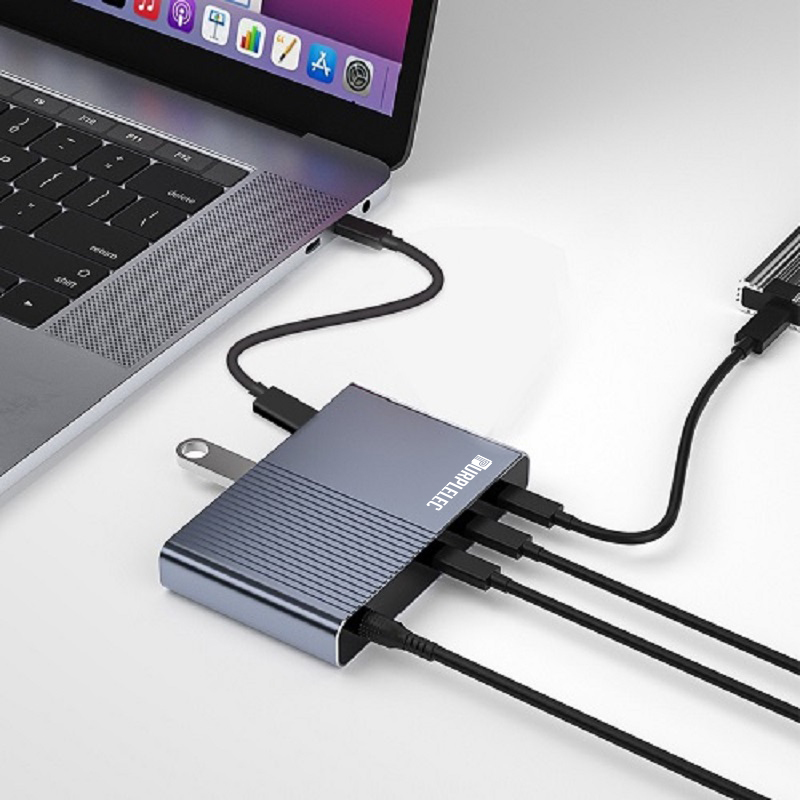
A Thunderbolt 4 docking station usually contains multiple ports, such as additional USB ports, HDMI, DisplayPort, RJ45 Ethernet ports, SD card readers, audio interfaces, and possible Thunderbolt 4 downstream ports, allowing daisy chaining of other Thunderbolt devices. These expansion functions enable users to easily connect and use various peripherals, such as external storage devices, displays, keyboards, mice, networks, etc., greatly enhancing the functionality and flexibility of laptops or other portable devices, especially in scenarios that require efficient work and multitasking.
What are the benefits of Thunderbolt 4 docking stations
Through the Thunderbolt 4 docking station, you can easily connect multiple external devices such as displays, keyboards, mice, USB flash drives, printers, etc. with just one Thunderbolt data cable. It is easy to plug and unplug, and there is no need to repeatedly plug and unplug all docking ports.
The main benefits of using a Thunderbolt4 docking station include:
1. High-speed data transmission: Provides data transmission speeds of up to 40Gbps, which is faster than USB 3.2 Gen 2, suitable for quickly backing up large files, transferring high-definition video materials, etc.
2. Efficient work on multiple screens: Supports connecting up to 4 4K resolution or 2 8K resolution displays, improving multitasking capabilities and visual experience, especially suitable for content creators, programmers and financial analysts.
3. Powerful expansion capability: It integrates multiple ports, such as USB, HDMI, DisplayPort, Ethernet, SD card reader, etc., which makes it easy to connect various peripherals and reduce the trouble of carrying multiple adapters.
4. Daisy chain connection: It allows multiple Thunderbolt devices to be connected through a single Thunderbolt 4 port, keeping the desktop tidy without affecting the data transmission speed.
5. Power supply capability: It supports power transmission up to 100W, which can charge the laptop, reduce cable clutter, and achieve one cable to solve the needs of data transmission, display output and power supply.
6. Universal compatibility: It is compatible with Thunderbolt 3 and USB4, ensuring wide device compatibility, easy to upgrade existing device configuration, and protect investment.
7. Plug and play: In most cases, there is no need to install additional drivers, plug and play, and it is convenient and quick to enhance the functions of laptops or desktops.
Which user groups are suitable for Thunderbolt 4 docking stations?
Compared with other types of docking stations, Thunderbolt docking stations have advantages such as no need to install drivers, simple settings, and native operating system support. At the same time, they have strong scalability and portability, which can meet the diverse needs of different user groups.
1. Professionals and creative workers: including graphic designers, video editors, photographers, etc., who need external high-resolution monitors for accurate color management and multi-tasking, and frequently transfer large-capacity media files.
2. Programmers and developers: need to switch between multiple code editors, debugging tools, and browser windows, and multi-screen configuration can significantly improve development efficiency.
3. Business elites and executives: perform multi-tasking management, such as checking emails, reports, and participating in video conferences at the same time, and handle daily work efficiently.
4. Gamers: pursue high frame rate and low latency gaming experience, and may also connect multiple peripherals, such as game controllers, high-resolution headphones, etc.
5. Educators and scientific researchers: In teaching demonstrations, data analysis, and paper writing, multi-screen displays can refer to more materials at the same time and accelerate the research process.
6. Mobile office workers: For users who often need to change their work locations, Thunderbolt 4 docking stations provide a one-stop solution for quickly connecting all necessary peripherals to maintain continuity and efficiency of work.
How to choose a Thunderbolt 4 docking station?
When choosing a Thunderbolt 4 docking station that suits you, you can follow the following steps to make a decision:
1. Determine your needs: First, clarify the type and number of devices you need to connect. Consider whether you need an external monitor (as well as the number and resolution of the monitors), how many USB ports you need, whether you need an SD card reader, Ethernet interface, or other special ports (such as Thunderbolt uplink ports).
2. Performance requirements: Determine the requirements for data transfer speed and video output capabilities based on the nature of your work. If you often deal with large amounts of data or high-resolution video editing, high-speed data transfer and multi-screen display support will be key factors.
3. Power transmission: Consider whether you need the docking station to charge your laptop. If necessary, confirm whether the power supply capacity of the docking station meets your laptop charging needs.
4. Compatibility check: Make sure the selected docking station is compatible with your computer. Although Thunderbolt 4 is backward compatible with Thunderbolt 3 and USB4, it is still recommended to check product specifications and user reviews to confirm that there are no compatibility issues.
5. Brand and quality: Choosing a docking station from a well-known brand usually results in better quality and after-sales service. Check user reviews and professional reviews to understand the stability and durability of the product.
6. Design and portability: Choose a suitable design based on your usage environment, such as whether you need a lightweight and easy-to-carry model or a docking station that is fixed to the desktop.
7. Budget considerations: Determine your budget range and find the most cost-effective option based on this. Remember that high performance often comes with a high price, and it is crucial to balance needs and budget.
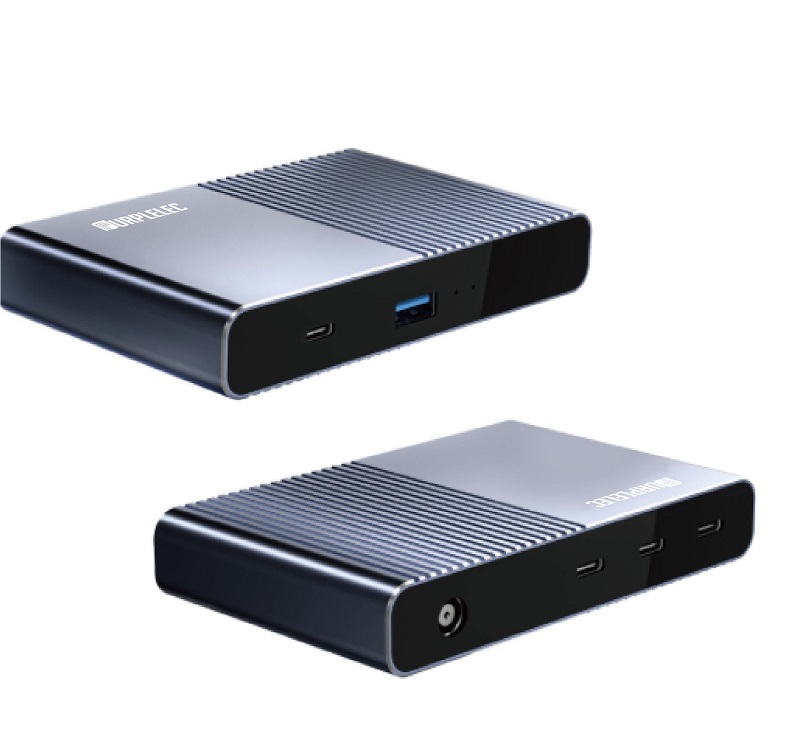 |
5-in-1 Thunderbolt 4 USB C Dock Station |
|
.Transfer Speed:40Gbps(Compatible with USB4/3.2/3.1/3.0/2.0)
.1x DC Power in 20V 7.5A(150W GaN)
.3xType C,TBT/USB4 40gbps interface downward
compatibility(Video output up to Single 8K@30Hz
or Dual 4K@60Hz or Three 4K@30Hz),Output up to 15W
.1xUSB A 3.2 Gen2,data transfer speed up to 10Gbps
|











