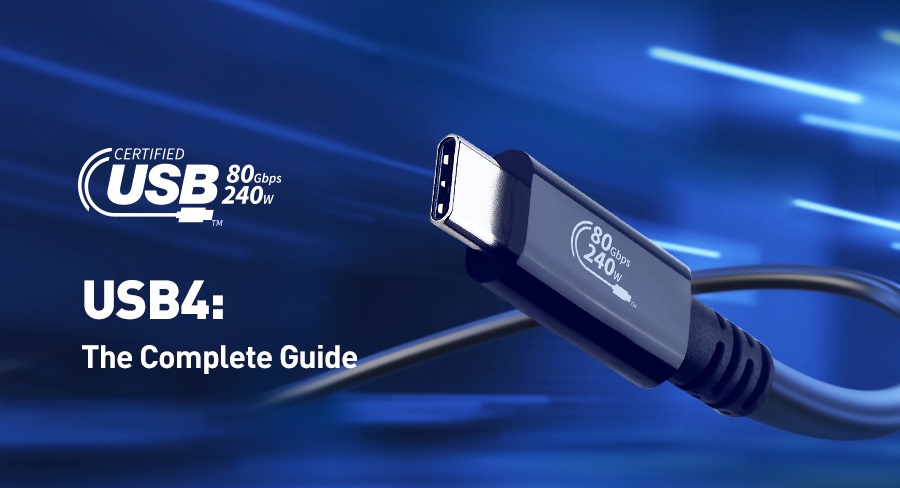
If you're a Steam Deck user and aren't sure which USB-C cable to choose, then this article is just what you need. We'll provide a detailed introduction to different types of USB-C cables to help you find the one that best suits your Steam Deck.
Getting to Know the Steam Deck
The Steam Deck is a highly anticipated handheld gaming device crafted by the team behind the Steam platform. It allows you to play games from the Steam library anytime, anywhere. With its powerful hardware, convenient design, and outstanding display effects, the Steam Deck has brought new breakthroughs to the gaming industry.
Understanding USB-C Cables
Before delving into the selection of USB-C cables for the Steam Deck, let's first understand why USB-C cables are so important. USB-C, or USB Type-C, is a universal connection standard widely used in various electronic devices for power supply and data transmission. Its reversible plug design means users don't have to worry about inserting it the wrong way, greatly enhancing the user experience.
Compared to older USB standards, USB-C cables can achieve faster data and power transmission. Nowadays, it has become the most popular and widely used interface in electronic devices such as tablets, phones, and laptops.
Key Points for Choosing a USB-C Cable for the Steam Deck
Although the USB-C interface on the Steam Deck is standardized, there are still differences between different cables. When purchasing, you need to pay attention to the following points:
Power Delivery (PD) Capability: Ensure that the USB-C cable has strong power delivery capabilities to meet the charging and power supply needs of the Steam Deck. The PD specification allows for fast and flexible charging, which is crucial for meeting the power requirements of the Steam Deck. Before purchasing, be sure to confirm whether the cable supports PD functionality.
Data Transmission Speed: USB-C cables offer data transmission speeds ranging from 5Gbps to 20Gbps. To ensure a smooth gaming experience and fast file transfers, it is recommended to choose a cable with a higher transmission speed.
Cable Quality and Durability: The quality and durability of a USB-C cable directly affect its service life and performance. Poor-quality cables may limit power and data transmission and even damage your device. Therefore, it is recommended to purchase high-quality USB-C cables from well-known brands to ensure safety and reliability.
Purchasing Guide
Here are some tips for purchasing a USB-C cable suitable for the Steam Deck:
Check Cable Specifications: Before purchasing, carefully review the cable's specifications to ensure it supports fast data transmission and power delivery. This information can usually be found on the product packaging.
Read User Reviews: User reviews are an important way to understand the quality and durability of a cable. Choose cables that have received positive feedback and high ratings to ensure their quality.
Choose Reputable Brands: Although cheaper cables may be more attractive, they may increase the risk of device damage. Purchasing high-quality cables from reputable brands can not only ensure long-term risk-free transmission and PD functionality but also save you unnecessary repair costs.
Alternative Solutions
In some cases, you may need to consider other USB-C cable options suitable for the Steam Deck:
USB-C Hub: A USB-C hub can expand the functionality of the Steam Deck by providing more connection options and additional ports. Most hubs support power delivery, making it convenient for you to connect peripherals and power your device. When connecting the Steam Deck to an external display, the hub can also provide better visual effects.
USB-C Dock: A dock is a more comprehensive device that can expand your connectivity and power support. It is usually equipped with multiple ports and functions, turning your Steam Deck into an efficient and multifunctional gaming platform in a specific location.
Wireless Solutions: If you need other connection methods besides charging and data transmission, you can consider using Bluetooth accessories (such as Bluetooth headphones, controllers, etc.) to reduce cable clutter. In addition, the Steam Deck supports Wi-Fi 6, allowing you to enjoy wireless connectivity and fast data transmission and downloads.
Conclusion
Although USB-C cables have become a universal standard, not all cables are the same. When purchasing, be sure to carefully review the specifications and choose a cable that suits your needs and preferences. A high-quality USB-C cable for the Steam Deck should be made of high-quality materials, capable of supporting power delivery and maintaining fast data transmission speeds. By following the above guidelines, you will be able to easily purchase a USB-C cable that is perfectly compatible with your Steam Deck and enjoy an outstanding gaming experience.