With the continuous advancement of technology, specifications and standards are constantly updated to adapt to new features and requirements. Thunderbolt 3 and Thunderbolt 4 have become key technologies leading the trend in the fields of connectivity and data transmission. So, what is the difference between these two? Let's delve deeper into it.
What is Thunderbolt 3?
Thunderbolt 3 was launched in 2015, achieving a qualitative leap in performance compared to its predecessor Thunderbolt 2. It integrates data transfer, video output, PCIe bandwidth, and charging functions into a compact USB-C interface, with a transfer speed of up to 40Gbps, four times that of USB 3.1. Thunderbolt 3 supports two 4K displays or one 5K display and provides up to 100W of charging power. Upgrading from Thunderbolt 2's mini DisplayPort interface to USB-C interface significantly enhances versatility and device compatibility, simplifying the user experience across platforms and devices.
What is Thunderbolt 4?
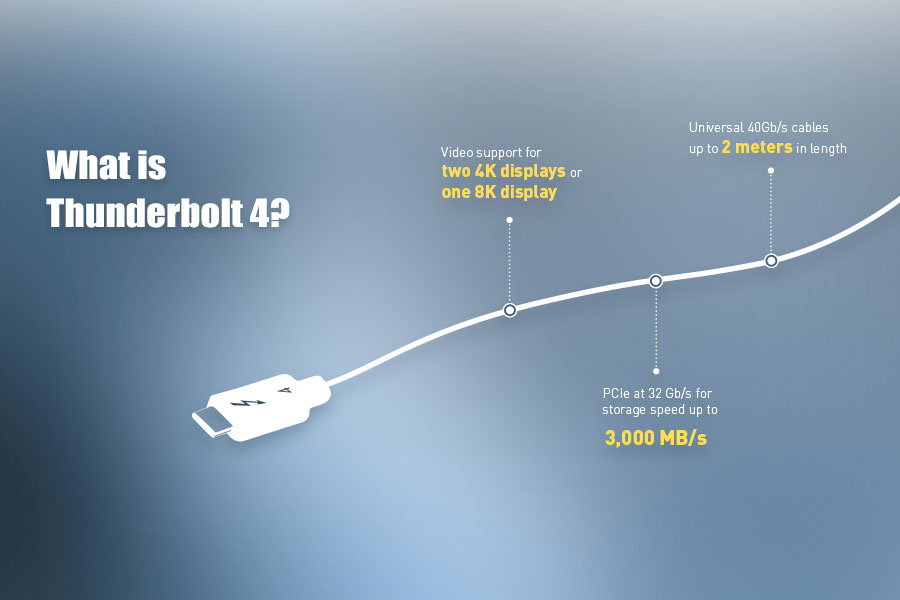
Thunderbolt 4 was released in 2020 and introduced a series of improvements based on Thunderbolt 3, enhancing the versatility and reliability of the technology. Although Thunderbolt 4 still offers 40Gbps bandwidth, its certification requirements are more stringent and Thunderbolt ports have been improved. Its mini-mum requirements for video and data transfer are twice that of Thunderbolt 3, supporting two 4K displays or one 8K display, and achieving a PCIe data transfer speed of 32 Gbps. The hub function of Thunderbolt 4 can better manage the bandwidth allocation between connected devices, ensuring that users do not have to bear the drawbacks of daisy chain connections when using other Thunderbolt devices.
Features and advantages of Thunderbolt 4
As the latest version of the Thunderbolt standard, Thunderbolt 4 offers a range of features and advantages that are highly attractive to users who require high-speed data transfer, multi display support, and advanced security features. It ensures that users can enjoy seamless connectivity and enhanced performance between various devices and applications.
The main differences between Thunderbolt 3 and Thunderbolt 4
Mini-mum performance requirements and data transmission speed
Data: Thunderbolt 4 requires 32 Gbps PCIe to provide better performance for external storage and other devices, while Thunderbolt 3 only requires 16 Gbps.
Video: Thunderbolt 4 supports two 4K displays or one 8K display, while Thunderbolt 3 only supports at least one 4K display.
Universal cable
Thunderbolt 4 requires cables of all lengths to be universal, with a maximum length of 2 meters. In contrast, Thunderbolt 3 cables vary in length, and longer cables may only support 20Gbps data transfer instead of the full 40Gbps.
Docking up
Thunderbolt 4 offers more ports, providing a more comprehensive docking solution. Hubs and docking stations can now provide up to four Thunderbolt ports, while Thunderbolt 3 only supports two ports.
Charging support
For battery powered laptops, charging devices through Thunderbolt ports has become a necessary feature of Thunderbolt 4. Although Thunderbolt 3 supports laptop charging, it is not necessary.
Security
Thunderbolt 4 natively supports Intel's VT-d based direct memory access (DMA) protection, which helps prevent physical DMA attacks when devices are connected to Thunderbolt ports. Although Thunderbolt 3 also supports these security features, they are not mandatory requirements.
Compatibility and Certification
Thunderbolt 4 has a stricter certification process to ensure that all cables and devices comply with the strictest standards. In contrast, Thunderbolt 3 may have more differences in compatibility.
Other highlights of Thunderbolt 4
Data transmission speed
Thunderbolt 4 has a data transfer speed of up to 40Gbps, allowing users to quickly and efficiently transfer large files such as 4K videos and high-resolution images. This is particularly important for professionals in fields such as video editing, 3D modeling, and data backup.
USB-C connector: universal interface
Thunderbolt 4 adopts the widely used standard USB-C interface in the industry, allowing users to easily connect their Thunderbolt 4 devices to other compatible USB-C devices, including laptops, desktops, and mobile devices. This universality simplifies the connection and usage process of devices, making Thunderbolt 4 a versatile and user-friendly choice.
Thunderbolt 4 connection
One of the key features of Thunderbolt 3 and Thunderbolt 4 is the docking station function, which allows users to connect multiple devices to a single Thunderbolt port. This is very useful for users who require high connectivity, as it can connect multiple displays, storage devices, and other peripheral devices to a single port.
Practical Application: Choosing the Right Technology
When choosing the technology that suits your needs, it is important to consider the specific requirements of the device and application. Here are some practical application scenarios for Thunderbolt 4, USB4, and USB-C:
Data transfer: If you need to quickly transfer large files, Thunderbolt 4 is the best choice, especially for applications such as video editing, 3D modeling, and data backup.
Multi monitor: If you need to connect multiple monitors to a single device, Thunderbolt 4 supports multiple monitors, making it ideal for applications such as video editing, graphic design, and gaming.
Storage devices: If you need to connect external storage devices to your computer, Thunderbolt 4's high-speed data transfer and support for PCIe connections make it an ideal choice.
Security: If you need advanced security features, Thunderbolt 4 supports DMA protection based on Intel VT-d, suitable for applications such as data encryption, secure data transfer, and secure boot.
Conclusion
Thunderbolt 4 has a range of features and advantages that are highly attractive to users who require high-speed data transfer, multi display support, and advanced security features. When choosing the appropriate technology, it is important to consider the specific needs of the device and application. Whether you are a professional pursuing strong performance or a daily user seeking reliable connectivity, Thunderbolt 4 can provide versatility and functionality that meets your needs.