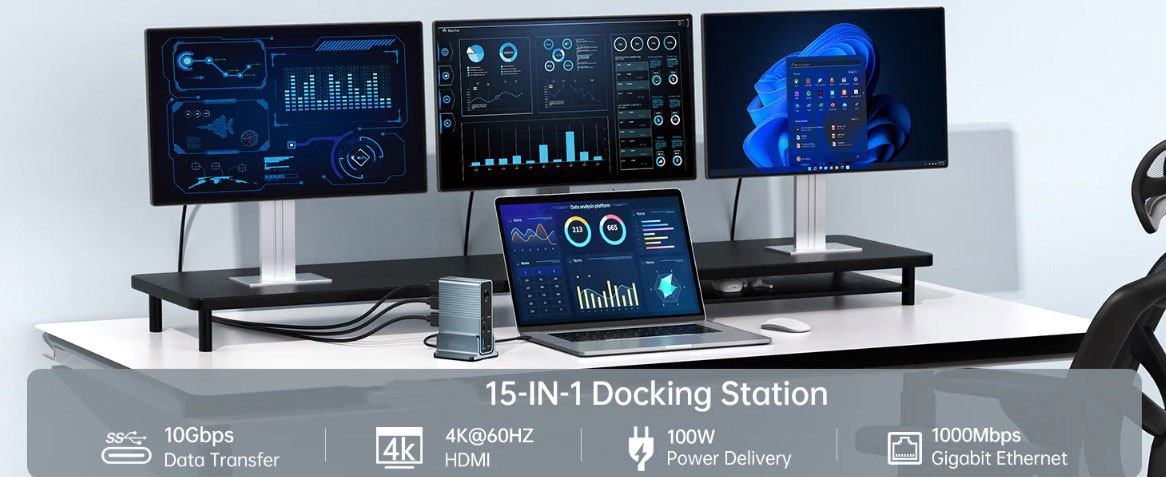
When digging deeper into USB-C, the term "Alt Mode" appears frequently. Among them, DisplayPort Alternate Mode (DP Alt Mode) is a useful feature of USB Type-C and Thunderbolt 3/4 connections that allows these connections to transmit DisplayPort video signals, data, and power simultaneously. This multifunctional feature is particularly useful when connecting display devices such as monitors and TVs to laptops, tablets, and smartphones equipped with USB-C or Thunderbolt 3 ports.
1. The difference between DP Alt Mode and USB-C
DP Alt Mode (DisplayPort Alternate Mode) and USB-C are not the same concept. USB-C is a connector type, while DP Alt Mode is a specific function supported by specific USB-C and Thunderbolt 3/4 connections.
USB-C is a compact and reversible connector that supports multiple communication protocols, such as USB 3.1, Thunderbolt 3, Ethernet, Power Delivery, and DisplayPort. It was developed by the USB Implementers Forum (USB-IF) to replace older USB types and become a versatile and user-friendly connector.
Differentiately, DP Alt Mode allows USB-C or Thunderbolt 3/4 connections to transmit DisplayPort video signals while also transmitting data and power. This feature is mainly used to connect display devices such as monitors and TVs to laptops, tablets, and smartphones equipped with USB-C or Thunderbolt 3 ports (and supporting DP Alt Mode).
Note that not all USB-C cables or devices support DP Alt Mode, and both the cable and the device must support this mode to work properly. Therefore, be sure to check the specifications of the device and cable to ensure compatibility.
2. How to determine whether the USB-C cable and port support DP Alt Mode
(I) Cable judgment method
Not all USB-C cables support DisplayPort alternate mode (DP Alt Mode). To ensure compatibility, you should look for cables that clearly indicate support for DP Alt Mode. You can judge by the following methods:
Check the product description: When purchasing a USB-C cable, read the product description carefully to see if it mentions support for DP Alt Mode.
Look for the DisplayPort logo: Cables that support DP Alt Mode may have a DisplayPort logo on the cable or packaging.
Check the manufacturer's official website: Visit the manufacturer's official website to check the cable specifications and confirm whether it supports DP Alt Mode. If the page does not explicitly mention "DP Alt Mode" or "Display", you can check the USB version. Generally, USB 3.1 Gen 2, USB 3.2, USB 4, and Thunderbolt 3/4 should all support DP Alt Mode.
For USB-C port specifications, if the manufacturer only displays "USB-C", you can ask directly, as they have the responsibility to provide clear information. Always verify the compatibility of the device and cable to ensure that both support DP Alt Mode, not only the input device, but also the output device.
(II) Port judgment method
Find symbols or labels: Check the area around the USB-C port on the device and look for symbols that indicate video output support, such as the DisplayPort logo or the Thunderbolt logo. If these signs are present, it means that the USB-C port should be able to transmit video signals, that is, it supports DP Alt Mode.
Check the user manual or device specifications: Find USB-C port information on the manufacturer's official website or the device user manual. Some manufacturers only display "USB-C" on the page, and the information is not detailed enough. In this case, you can ask them directly. Check whether video output, DP Alt Mode, or the following protocols that may include DP Alt Mode support are supported: USB 3.1 Gen 2, USB 3.2, USB 4, Thunderbolt 3, or Thunderbolt 4. As new USB and Thunderbolt protocols are developed, it is expected that DP Alt Mode compatibility will be maintained to ensure that the feature is compatible with the latest technologies.
Following the steps above, you should be able to determine whether the USB-C port supports DP Alt Mode. At the same time, a compatible USB-C cable/adapter/hub and display device are required to successfully establish a video connection.
3. How to enable DP Alt Mode
DP Alt Mode is usually enabled automatically when a device that supports DP Alt Mode is connected using a compatible USB Type-C cable/adapter. The source device (such as a laptop, tablet, or smartphone) and the target display device (such as a monitor or TV) detect the connection and configure the display settings accordingly, and DP Alternate Mode can be enabled without manual settings.
In most cases, as long as the device and cable support this feature, no additional steps are required. However, if the device does not automatically configure the settings, or if you want to customize the display output (such as extending the desktop, duplicating the display, or selecting a specific display resolution), you need to manually adjust the display settings on the source device.
4. How to tell if your phone supports DP Alt Mode
The most reliable way to determine if your phone supports DP Alt Mode is to check the phone's user manual or visit the manufacturer's website to check the specifications. You can also do the following checks yourself first:
1. Check the user manual or specifications: Look for the phone's USB-C port information in the user manual, search for content that mentions DP Alt mode, video output, or USB-C features related to display output, or check whether the USB C port is USB 3.1 Gen 2 or USB 3.2 version.
2. Search the phone model online: Use the phone model name or number and keywords such as "DP Alternate Mode", "DisplayPort Alternate Mode", or "USB-C Video Output" to search online, which can help find discussions, reviews, or official statements about the phone's features.
3. Consult the manufacturer: Go directly to the manufacturer's website, or contact the online support team to confirm the detailed specifications related to the USB-C port.
Since new devices are released frequently and manufacturers may not promote this feature, it is difficult to find a comprehensive and continuously updated list of USB-C devices that support DP Alt mode. The best way is to combine the above resources to collect information about devices that support this feature.
V. The new DisplayPort specification supports 16K and its relationship with us
The new DisplayPort specification mentioned here is most likely DisplayPort 2.0, which can achieve higher video resolution and refresh rate than previous versions. The reason why DisplayPort 2.0 can support 16K video over USB-C is due to the following key improvements:
1. Bandwidth improvement: DisplayPort 2.0 bandwidth is significantly improved over the previous generation, up to 77.4 Gbps. Higher bandwidth can transmit more data, thereby achieving higher resolution and refresh rate, such as 16K video.
2. Better compression effect: DisplayPort 2.0 uses advanced compression technology, such as Display Stream Compression (DSC), to transmit high-resolution video with extremely low quality loss. This can effectively utilize the available bandwidth while maintaining excellent image quality.
3. Greater versatility: DisplayPort 2.0 over USB-C takes full advantage of the flexibility of the USB-C connector to transmit multiple data streams simultaneously. This means that in addition to video, USB-C can also transmit data, power, and other signals, making it a versatile and future-proof solution.
16K video resolution is 15360 x 8640 pixels, which is 16 times the resolution of 4K video and 64 times the resolution of 1080p (full HD) video, providing a more detailed and immersive viewing experience. In daily life, supporting 16K video can bring many benefits to users:
1. Enhanced visual experience: In applications such as games, virtual reality (VR) and augmented reality (AR), 16K video can provide more realistic and immersive visual effects.
2. Improve productivity: High-resolution displays can provide more screen space for multitasking, allowing users to handle multiple applications or large data sets more efficiently.
3. Professional applications: Industries such as film, design, and architecture can benefit from the higher details and accuracy provided by 16K video, enabling better decision-making and more impressive presentations.
It is worth noting that it will take some time for 16K video to become widely available, as content creators, hardware manufacturers, and consumers need to gradually upgrade their equipment and infrastructure to support this new technology. However, DisplayPort 2.0 lays the foundation for future improvements in video resolution and quality.