Both monitors are working, yet an enterprise docking station project can still stall: IT needs remote firmware updates, employees cannot install display software, or a replacement ODM solution requires a different driver. A list of ports rarely reveals these deployment differences.
When choosing an upstream supplier, brands, distributors and system integrators need to consider hardware, display software and device management together. The Good Way DUD8380, MCT C3-D9081 and PURPLELEC PEC-DS020 illustrate three different approaches to enterprise workstations, each with its own strengths and trade-offs.
Selection at a glance
Contents
The suppliers and solutions
Good Way provides OEM/ODM design and manufacturing services. MCT, or Magic Control Technology, supplies solutions for OEM/ODM projects. PURPLELEC offers industrial, mechanical and circuit design services, allowing product configurations to be discussed around workstation requirements.
Enterprise deployment involves three connected decisions: how to manage a fleet of docks, which USB display software to deploy on employee computers, and which peripherals and monitors to connect. Management requirements shape the platform choice, display software affects endpoint deployment, and peripheral combinations determine the ports and bandwidth needed. Brands should map these requirements to specific models before choosing a supply solution.
| Criteria | Good Way DUD8380 |
MCT C3-D9081 |
PURPLELEC PEC-DS020 |
|---|---|---|---|
| Display technology | USB-C upstream connection with DisplayLink video | USB display using the Trigger VI T6-688SL | Hybrid Thunderbolt 4 and DisplayLink paths |
| Display specifications | Dual 4K 60Hz; two HDMI and two DP connection options do not mean four independent displays | Two independent HDMI outputs: one display at 4K 30Hz plus one at 2048×1152 60Hz | Non-DisplayLink HDMI and DP are each rated at 4K 60Hz. Two additional DisplayLink groups each offer a choice of HDMI or DP, with each connector rated up to 4K 60Hz |
| Upstream connection and host charging | USB-C 10Gbps; up to 96W PD | USB-C; PD 2.0 support. Confirm host charging wattage for the project configuration | Thunderbolt 4 40Gbps; up to 90W PD |
| Selected peripheral ports | Two USB-C 10Gbps, three USB-A 10Gbps and two USB-A 5Gbps ports; 1GbE | Two USB 3.0 5Gbps ports; 1GbE | Two downstream Thunderbolt 4 ports, six USB-A 10Gbps ports and one USB-C 10Gbps port; 2.5GbE |
| Device management | Portal management, remote I/O control, firmware updates over LAN and scheduled power control | Confirm the management platform, licensing and update process separately | Confirm remote management and fleet firmware update arrangements separately |
| Workstations to evaluate first | Dual-monitor offices that allow display software deployment and need centralized management | Desktops retaining or evaluating Trigger, with display requirements within the specified combination | Desktops needing more peripheral connections and validation of native and USB display combinations |
Product specifications: DUD8380, C3-D9081 and PEC-DS020.
Scenario 1: deploying dual-monitor offices at scale
Rolling out the same dual-monitor setup across several offices raises questions beyond whether the screens work: how are docks registered, ports controlled and firmware updated? The DUD8380 addresses these management tasks. Its management solution can use a public cloud or an on-premises server and can manage docks even when no computer is connected.
Ask the supplier for the platform version, network requirements, licensing scope and recovery process if an update fails. Brands should also agree who will operate the platform and support future updates, with the software deliverables written into the project terms.
The DUD8380 does not require a separate dock management application on every employee computer, but its display output uses DisplayLink. According to DisplayLink’s first-time macOS configuration guide, Mac users need DisplayLink Manager and must configure Screen Recording and background activity permissions.
Evaluate the dock’s connection to its management server separately from how employee computers enable display output. If the customer prohibits this type of display software, a remote management platform does not resolve that endpoint software restriction.
Scenario 2: retaining or evaluating Trigger
The C3-D9081 uses the Trigger VI T6-688SL and provides two independent HDMI outputs: one supports up to 4K 30Hz and the other up to 2048×1152 60Hz. This serves a different display requirement from the DUD8380’s dual 4K 60Hz. Specify the resolution and refresh rate for each monitor when evaluating either model.
The C3-D9081 is worth evaluating when a customer already uses Trigger or specifies it for the project. A first-time deployment also needs to account for the cost of rolling out the software. The display combination is a firm selection criterion: if both 4K monitors must run at 60Hz, choose another model or solution.
Trigger and DisplayLink are different software platforms, each requiring its appropriate driver. MCT’s driver directory includes USB docking station entries for Windows 11 and macOS 13.x and later. Before selecting an installer for the C3-D9081, confirm the exact supported model, host processor and operating system version, then plan endpoint deployment.
For an enterprise already using DisplayLink, moving to Trigger should be treated as an endpoint software change. Confirm the installer, required permissions, coexistence with existing software, and uninstall and rollback procedures. For Apple Silicon customers, obtain confirmation for the exact host and operating system version. These tasks affect the scope of delivery; neither a supplier name nor an HDMI connector establishes compatibility.
Scenario 3: desktops with many peripherals
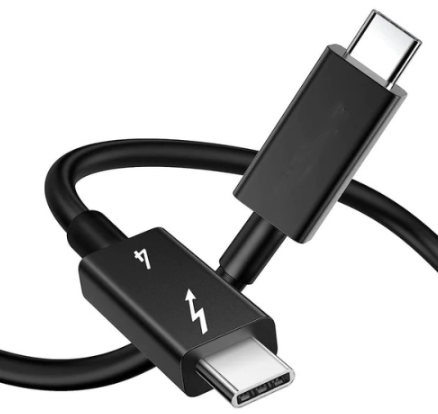
The PEC-DS020 provides a 40Gbps Thunderbolt 4 upstream connection, two downstream Thunderbolt 4 ports, multiple 10Gbps USB ports and 2.5GbE. Storage, conferencing equipment and other USB peripherals can connect through one dock. Whether bandwidth and power meet all requirements at once must be checked under the intended workload. For varied display requirements, evaluate a combination of native Thunderbolt and additional DisplayLink paths.
Distinguish the two DisplayLink output groups carefully: each group allows either HDMI or DP, so four sockets do not provide four independent DisplayLink displays. The separately listed non-DisplayLink HDMI, DP and downstream Thunderbolt ports also require host and output combination checks. Adding individual port ratings together is not a basis for promising that every connected screen will achieve those specifications simultaneously.
For native display paths, Apple explains that the number of external displays supported by a MacBook Pro depends on its model, resolution and refresh rate; adding a hub does not increase the host’s native display limit. DisplayLink provides an additional software display path, with separate software and permission requirements. Brands should document which output group and display path each monitor uses rather than describe the entire configuration simply as “multi-display compatible.”
If customers transfer files, hold video calls and use multiple displays at the same time, acceptance testing should reproduce that workload. A 10Gbps rating on one port does not establish that several ports, the network adapter and display paths can all sustain their individual maximums simultaneously. Likewise, host charging of up to 90W needs to be checked against the target computer’s power requirements and the power actually negotiated.
If a project requires a single platform to manage DS020 ports and firmware, specify the supporting software, update process and maintenance responsibilities. Port count and bandwidth do not establish those management capabilities. PURPLELEC’s industrial, mechanical and circuit design services provide a basis for discussing project changes; development costs, certification scope and future firmware maintenance still need to be agreed for each change.
Changing solutions and preparing delivery
Meeting the required display resolution does not make a candidate a direct replacement for an existing product. For brands and integrators, a change can also affect endpoint images, IT deployment procedures and support troubleshooting. Have the customer’s IT team review these three types of change before finalizing the hardware.
If the customer prohibits third-party display software, none of these models should be approved on its name alone. The USB display paths in the DUD8380 and C3-D9081 require software checks. For the DS020, verify separately whether its native paths meet the required display count; do not include DisplayLink outputs in a promise that requires no such software. Where necessary, select another model with native display outputs from the supplier’s range.
Frequently asked questions
Start with the workstation requirements. Evaluate the DUD8380 for centrally managed dual-monitor offices, the C3-D9081 for projects retaining or evaluating Trigger within its specified display combination, and the PEC-DS020 for multiple peripherals and hybrid display paths. The purchasing decision also depends on validation with the target hosts, quotes based on the same requirements and ongoing maintenance terms.
It still needs validation. The same display software does not guarantee identical port grouping, network adapters, power delivery, firmware, or sleep and wake behavior. Keeping an existing software deployment may help migration, but the target model and actual workstation configuration still need to be checked.
Ask the supplier to define the management platform, deployment requirements, licensing scope and maintenance responsibilities, then demonstrate the required functions, such as remote port control and firmware updates, on the selected configuration. If management must continue without a connected computer, include that scenario in acceptance testing.
Plan the project evaluation
When discussing an OEM/ODM docking station solution with PURPLELEC, provide the host models and operating systems, monitor combinations, permitted software, peripheral workloads and management requirements. Agree on the deliverable configuration and validation scope before finalizing port changes and industrial design customization.