By PURPLELEC | 07 June 2024 | 0 Comments
USB video capture card prompts new hardware wizard after installation
Q: Hello, I am using an external USB interface video capture card, which works fine and has good effects. I use VideoStudio as the software. But now there is a problem. After plugging it in, I installed the driver according to the prompts. The USB capture card can be used normally and everything is normal. However, after restarting, the system always pops up "Welcome to the Found New Hardware Wizard". I continued to install it successfully according to the prompts, and the system popped up "Welcome to the Found New Hardware Wizard" again, and so on and so forth... And every time I start the computer, it also pops up, but every time it pops up, the USB video capture card is always easy to use. It's really strange, what's the reason? How can I stop finding new hardware?
A: USB video capture cards will not cause this problem. After installing it once, as long as the driver is not deleted, it can be used directly after restarting without reinstalling the driver. This situation may be caused by a problem with your computer settings. First, check whether the motherboard BIOS settings provide USB Support, that is, plug-and-play support for USB capture cards, and enable it and try again. In addition, you can uninstall the driver again and reinstall the entire thing. From the system settings themselves, there is no function to prohibit the detection of new hardware. Purplelec VS009 external USB video capture card supports plug-and-play and hot-swap. It does not require an additional power supply and can be used by connecting to the USB2.0 interface. It perfectly supports the WIN7 operating system and is the best capture card for laptop video capture and editing.
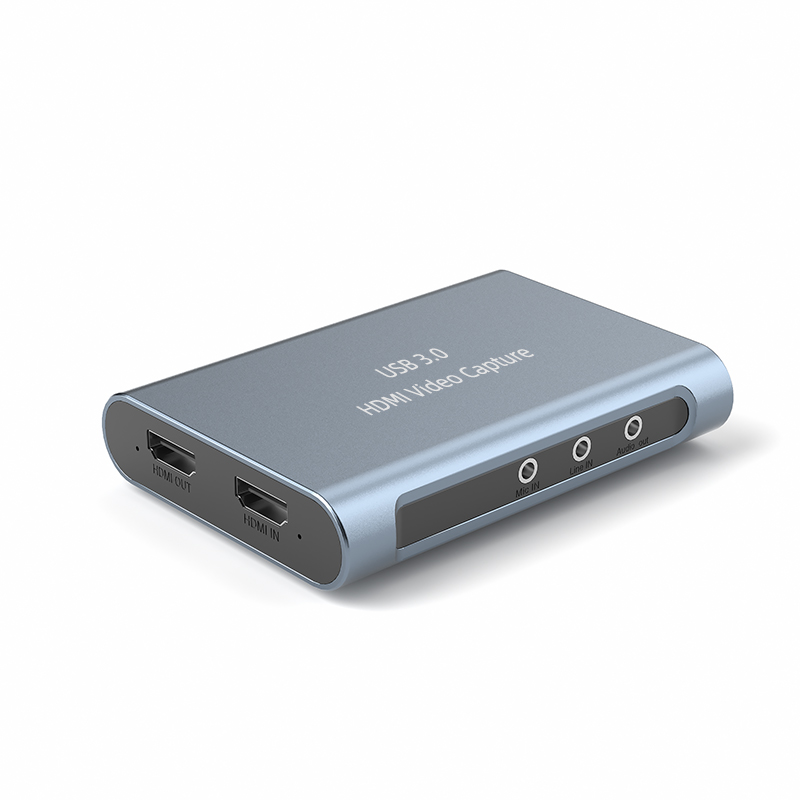
At present, Purplelec has launched USB interface video capture cards, USB interface video converters, etc. for laptop users. Especially with the widespread application of laptops, USB interface products are increasingly used. PEC-HDU7H USB video capture card is a capture card with SDK development kit. The capture card also has a video capture button, which plays a good role in instant image capture. The color difference component capture card is a laptop capture card that can capture standard definition color difference components in real time. In addition, in response to the needs of multi-channel video monitoring for laptops, the TV001 four-channel USB monitoring capture card has also been launched, which can capture four channels in real time with good results. The PEC-HDU4H external USB capture card can be said to be the most functional and best USB2.0 external capture card on the market. It is directly compatible with various streaming media application software, making it convenient to use in video conferencing, live webcasting, video conferencing, and multimedia recording and broadcasting.
Leave a Reply
Your email address will not be published.Required fields are marked. *