By PURPLELEC | 09 May 2025 | 0 Comments
PS5 capture card purchasing guide: Unlock high-quality game live streaming and recording experience
As the gaming industry develops rapidly, various tools designed to enhance the experience of players and streamers are constantly being introduced. For users who are keen on recording or live streaming game content on PlayStation 5 (PS5), capture cards have become an indispensable and important device.
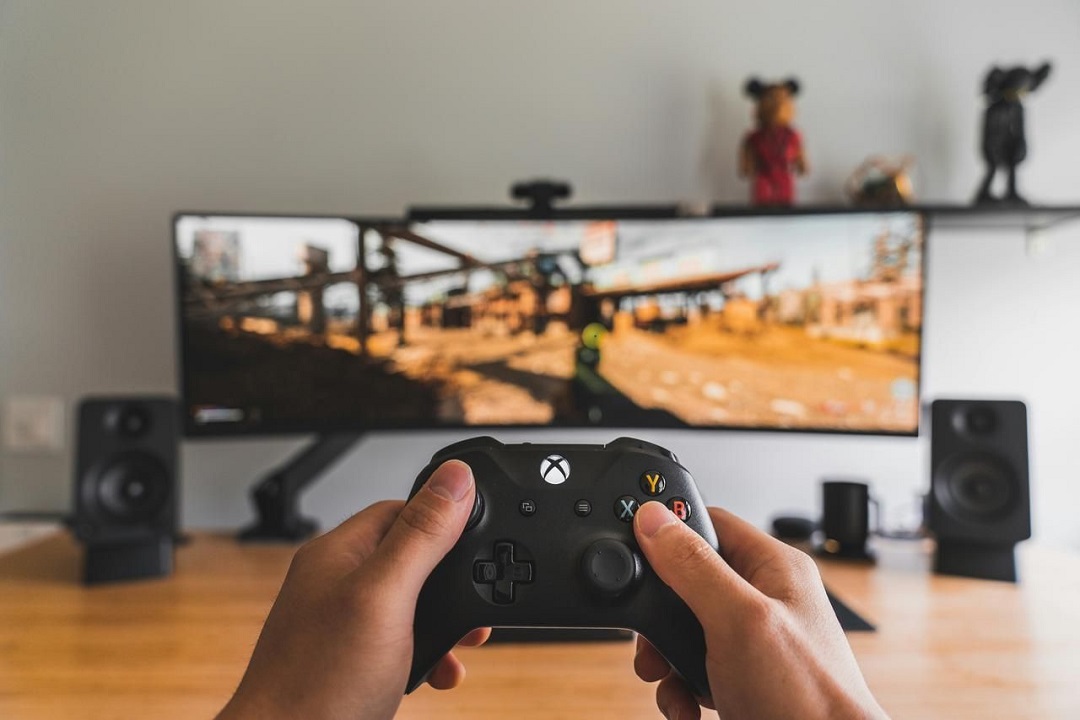
Why do PS5 players and streamers need capture cards?
The capture card is like a bridge, which can accurately transmit the video and audio output of PS5 to the computer or live streaming platform to meet the needs of recording and live streaming. Whether it is a veteran streamer who has been deeply involved in the live streaming field or a novice who is just starting to get involved in game live streaming, the capture card can greatly enhance their ability to share the exciting moments of the game with friends and fans. Its core advantages are mainly reflected in the following aspects:
Create a professional audio-visual feast: The capture card supports high-resolution (up to 4K) and frame rate capture and live streaming, and can clearly present every frame detail and every light and shadow change of the PS5 game screen, making the audience feel as if they are in the scene, making the live broadcast and recording content extremely professional.
Unleash the performance potential of the host: With dedicated encoding functions, the capture card can share the encoding work of the PS5. In this way, the resources of the game console can be fully released, and the game can be run more smoothly. Even in the face of large-scale 3A games, a stable frame rate can be maintained to avoid stuttering and frame drops.
Adapt to multiple game scenarios: The capture card is not only suitable for PS5, but also compatible with other game consoles and devices. For users with multiple game platforms, this is undoubtedly a long-term investment that is both practical and forward-looking, and can easily cope with the recording and live broadcast needs in different game scenarios.
Key considerations for selecting PS5 capture cards
In the dazzling array of capture card market, when choosing products adapted to PS5, you need to focus on the following core functions:
Resolution and frame rate: If you want to capture the game process with stunning details, it is recommended to choose a capture card that supports 1080p 60fps or 4K 60fps. High resolution and frame rate can truly restore the gorgeous pictures of the game world, whether it is fierce battle scenes or beautiful game scenery, they can be perfectly presented.
Delay control: A high-quality capture card should have extremely low latency to ensure that the game screen is synchronized with the live or recorded content in real time, bringing players a seamless gaming experience. Low latency can effectively avoid video output lag, so that the audience sees the same picture as the player's operation, enhancing the sense of interaction.
Compatibility performance: In addition to being perfectly compatible with PS5, the capture card must also be compatible with commonly used live or recording software, such as OBS, Stream labs, etc. Only in this way can it run stably in different software environments, give full play to its functional advantages, and meet diverse creative needs.
Connection performance: The data transmission speed directly affects the user experience of the capture card. Products equipped with USB 3.0 or Thunderbolt interfaces are preferred to achieve fast and stable data transmission. At the same time, HDMI input and output interfaces are indispensable. They are the key to the connection between PS5 and the capture card and display, ensuring high-quality transmission of audio and video signals.
Software support: Some capture cards come with exclusive software to facilitate users to record and live broadcast operations; some products are highly compatible with third-party software, which can achieve more personalized customization and additional functions. When purchasing, you can choose a capture card that supports a wide range of software based on your own usage habits and creative needs to improve your creative efficiency and flexibility.
By comprehensively considering the above key features, players and anchors can choose a PS5 capture card that meets their needs, easily start a high-quality game live broadcast and recording journey, and build a perfect bridge between the virtual world and real sharing.
VS009 the Capture Cards for PS5

Key Features
4K HDMI capture card: This game capture card supports HDMI input and output resolution up to 4K@60fps, allowing you to capture your gameplay while still playing on your monitor or TV without any lag, ensuring an uninterrupted gaming experience. The external capture card is compatible with most HDMI source devices like PS5, PS4 Pro, Switch, Camera, DSLR, PC, and more. It's considered one of the best capture cards for Switch due to its versatility and performance.
4K 60FPS Capture Card & USB-C 3.1: The 4k capture card can broadcast live or record in stunning 4K at 60fps, ensuring flawless clarity and smoothness. Enjoy versatile format support, including MJPG (4K at 60fps), YUY2 (1440p at 50fps), NV12 (1440p at 60fps), and I420 (4K at 30fps). The USB-C 3.1 interface ensures fast, reliable data transfer for seamless video capture. Ideal for gamers, content creators, and professionals.
Support HDR Function: The HDMI video capture supports HDR10, providing enhanced color accuracy and contrast for more vibrant and lifelike video. This feature ensures a richer and more immersive viewing experience with expanded dynamic range, making every scene more detailed and realistic for both you and your audience.
Plug and Play & Ultra-low Latency: The gaming capture card requires no driver setup on Windows and Mac. Simply connect the VS009 to your device for seamless streaming. Enjoy unparalleled synchronization between your broadcast and gameplay.
How to use capture card on PS5
Using a capture card with your PS5 is relatively straightforward. Here’s a step-by-step guide:
1、Connect the Capture Card: Plug one end of an HDMI cable into your PS5 and the other end into the HDMI input of your capture card. Then, connect another HDMI cable from the HDMI output of your capture card to your monitor or TV.
2、Connect to Your PC: Using a USB cable, connect the capture card to your computer. Ensure that you’re using a USB 3.0 port for optimal performance.
3、Install Software: Download and install any necessary software that came with the capture card, or use popular third-party applications like OBS Studio for streaming and recording.
4、Configure Settings: Open the software and configure your capture card settings. Set up the resolution, frame rate, and any overlays or audio settings you want.
5、Start Gaming & Streaming: Once everything is set up, launch your PS5, and start playing! From your streaming software, you can now begin recording or broadcasting your gameplay live.
Conclusion
Investing in a quality capture card PS5 is essential for gamers and streamers looking to elevate their PS5 experience in 2025.
Streamlabs: An all-around assistant for console players to create professional live broadcasts
A complete guide to choosing a gaming monitor for PS5 and XBOX Series X
Leave a Reply
Your email address will not be published.Required fields are marked. *