In the age of mobile office, adapters and cables often make our workspace messy. Docking stations and port replicators are two powerful tools that can effectively simplify the work environment, improve work efficiency and reduce the trouble of cable entanglement. But what are they, and how to choose the right one for you? Next, let's find out.
Docking station: the ideal choice for integrated office
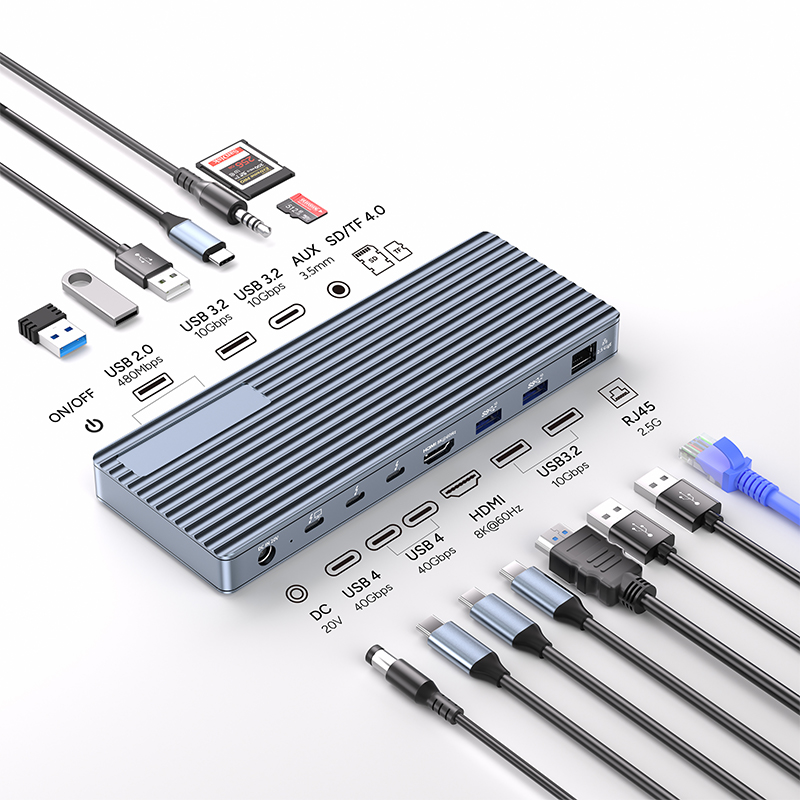
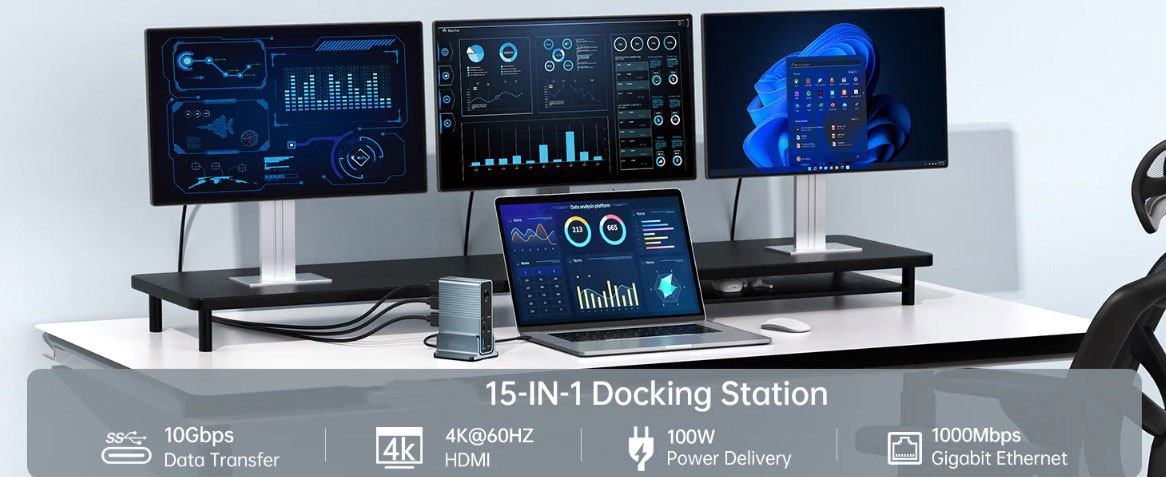
The docking station can be called a "one-stop service station" for connecting laptops and various peripherals. As a central hub, it is equipped with a variety of ports, such as HDMI and DisplayPort for external monitors to provide a clear visual experience; USB-A and USB-C meet the data transmission needs of various devices; Ethernet port to ensure stable network connection; and even audio output port to make audio devices more convenient to connect. It is worth mentioning that many docking stations also have the function of powering laptops, so we no longer need to use a separate power adapter.
Imagine walking into the office, just placing the laptop on the docking station, the external monitor lights up instantly, the keyboard and mouse respond sensitively, and the printer is ready, and all devices are put into use immediately. No need to worry about finding a single adapter or a suitable cable, which greatly saves time and energy, making work connections smoother and more efficient.
Port replicator: a simple and compact portable choice
Compared to the docking station, the port replicator adopts a more simplified design concept. Its main function is to replicate the ports on the laptop and provide users with some additional connection options. However, it usually has fewer ports than the docking station, and generally does not power the laptop.
If you often need to work in different locations and have high requirements for the portability of the device, then the port replicator may be a better choice. Its small and compact body allows you to connect basic peripherals such as keyboards and mice without sacrificing too much mobility, meeting the basic needs of daily office work and easily coping with mobile office scenarios.
How to choose: Considerations that fit personal needs
The key to choosing between a docking station and a port replicator is to clarify your actual needs and preferences.
Port requirements: If you need to use multiple types of ports at work, especially more professional interfaces such as RJ-45 Ethernet ports, then the rich port types and powerful functionality of the docking station will better meet your requirements and provide sufficient options for connecting various devices.
Power requirements: If your laptop has a high dependence on continuous power supply during use, the ability of the docking station to directly power it is particularly important; and if power is not the primary consideration, the port replicator can also meet other connection needs.
Mobility requirements: For office workers who often travel, the lightweight and portable features of the port replicator are undoubtedly more attractive, convenient to carry anytime and anywhere, and easily cope with different office environments; while the docking station is relatively large in size and is more suitable for use in fixed offices.
Budget factors: Since the docking station has more comprehensive and powerful functions, its price is generally higher than that of the port replicator. When choosing, you need to weigh the cost-effectiveness and make a suitable decision based on your own economic situation and actual needs for functions.
Significant advantages in improving work efficiency
Both the docking station and the port replicator can bring many positive changes to the workflow and significantly improve work efficiency. They effectively simplify the device connection settings, bid farewell to the cumbersome cable plug-in and unplug steps, reduce the trouble caused by cable clutter, and release valuable desktop space to create a neat and orderly office environment. Specifically, the main advantages are as follows:
Efficient start of work: By quickly connecting all peripherals, you can quickly enter the working state without waiting, and start a day's work tasks at a faster speed and higher efficiency.
Optimize ergonomic experience: Allow the connection of external monitors and keyboards to help you adjust to a more comfortable working posture, reduce the physical fatigue that may be caused by long-term use of built-in devices in laptops, and improve work comfort.
Excellent cable management: Make tangled wires and time wasted on finding adapters a thing of the past, effectively organize cables, make the office desktop more tidy and beautiful, and also reduce the risk of device connection failure caused by cable chaos.
For people who want to simplify their workspace and pursue efficient office work, docking stations and port replicators are undoubtedly valuable tools. Whether you need a comprehensive solution that integrates multi-functions and power delivery, or a streamlined and portable device, you can find a product that meets your needs in both. Get rid of the shackles of cables and embrace a new, more organized and efficient way of working!